Turn Your Lessons Into a
Language App Students Love
You already know what your class needs to practice. Palabrify turns it into something they'll open on the bus. Build the lesson on the web in minutes — with Palabrify drafting the first version — and it lands on every student's phone as flashcards, puzzles and streaks. Then you get to see exactly who's flying and who's quietly stuck.
The student app is already live on iOS and Android, and the teacher toolkit is free to try — no card needed.
If you teach a class
Build your curriculum once and assign it to every group you teach. Homework practice happens in the app, marking happens by itself, and you walk into the next lesson already knowing which five words the class hasn't got.
If you teach an audience
Coaches, creators and podcasters: package your method into a course and hand your followers a native app to learn it in. No code, no app-store paperwork, no developer. Just your content, with your branding on it.
How It Works — Four Steps, One Afternoon
The whole loop, from an empty page to knowing who needs help. Everything below follows these four steps in order.
Build a Lesson in the Time It Takes to Photocopy One
Name a topic and Palabrify drafts the whole thing — the words, the exercises, the grammar notes. Or bring the list you already teach from. Either way you stay the editor: you read it, fix it, and decide when it goes out. Nothing reaches a student until you say so.
Palabrify writes the first draft — you keep the pen
Describe a grammar point, a travel phrasebook, or the slang from your latest episode. Palabrify comes back with a full course: vocabulary, exercises and a written tutorial. Then you go through it like you'd go through a colleague's worksheet — rewrite a clue, drop a word, tighten an example.
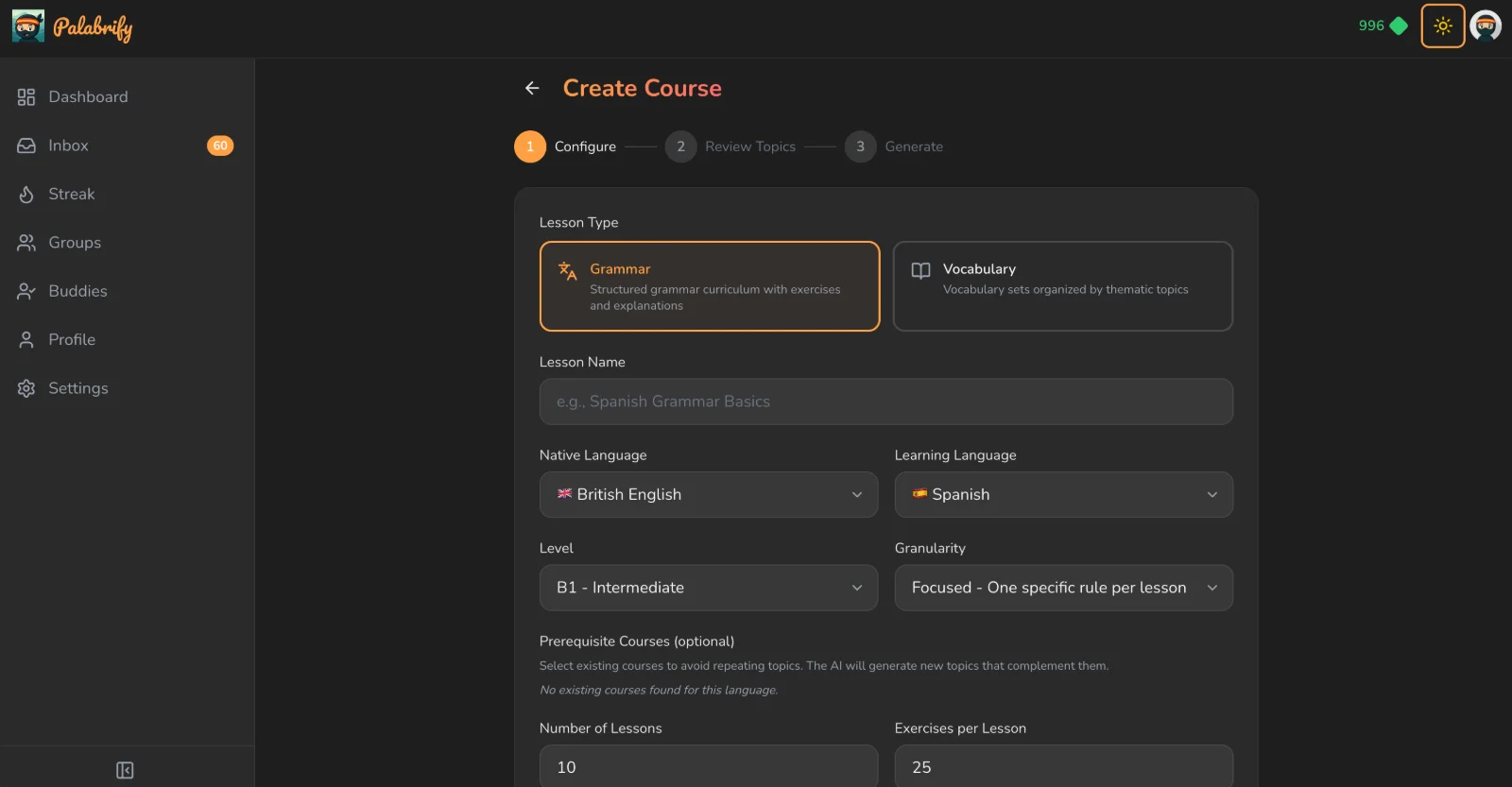
A topic, a language, a level. That's the whole brief.
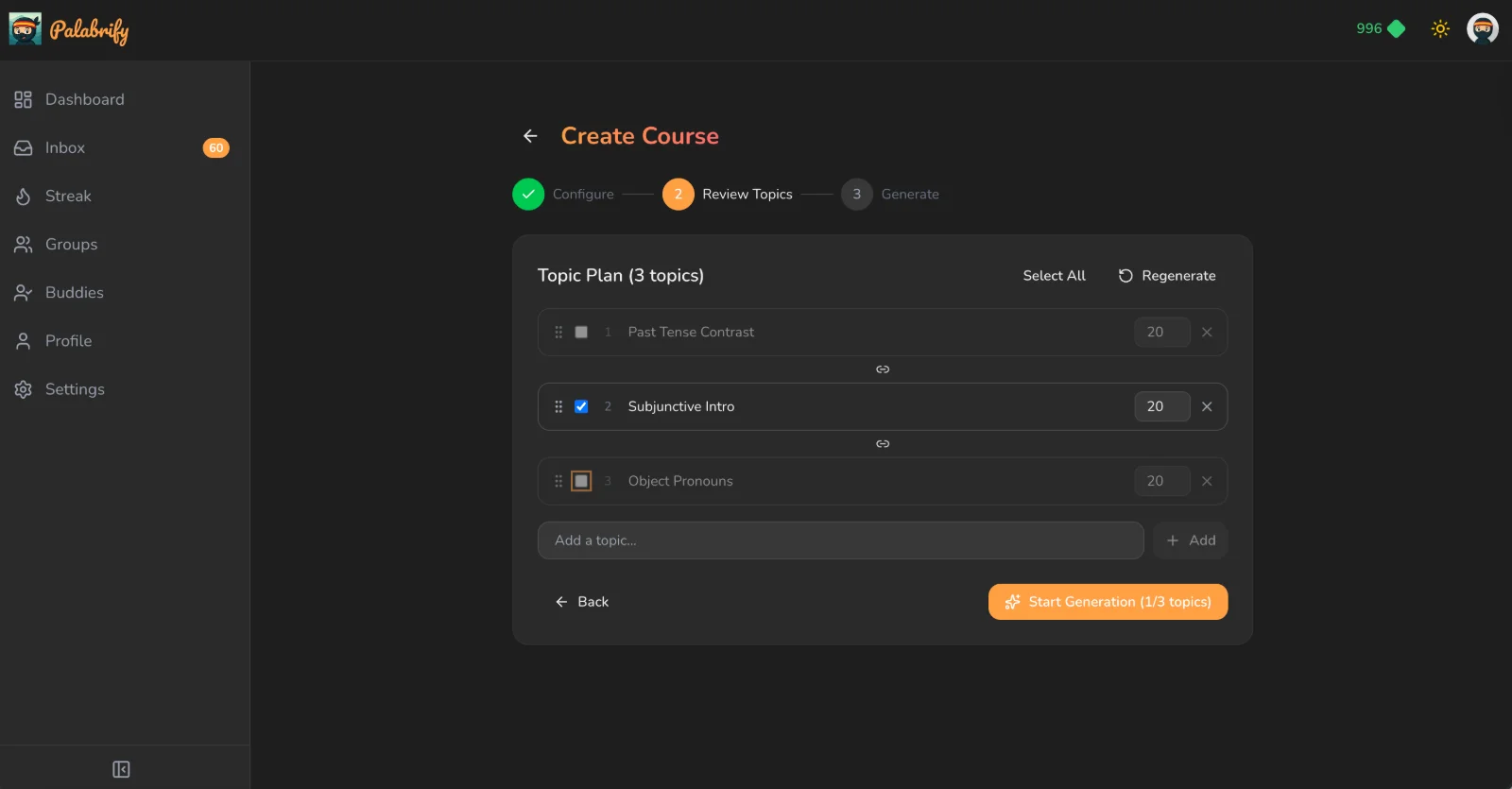
A complete set of interactive exercises, all of it editable.
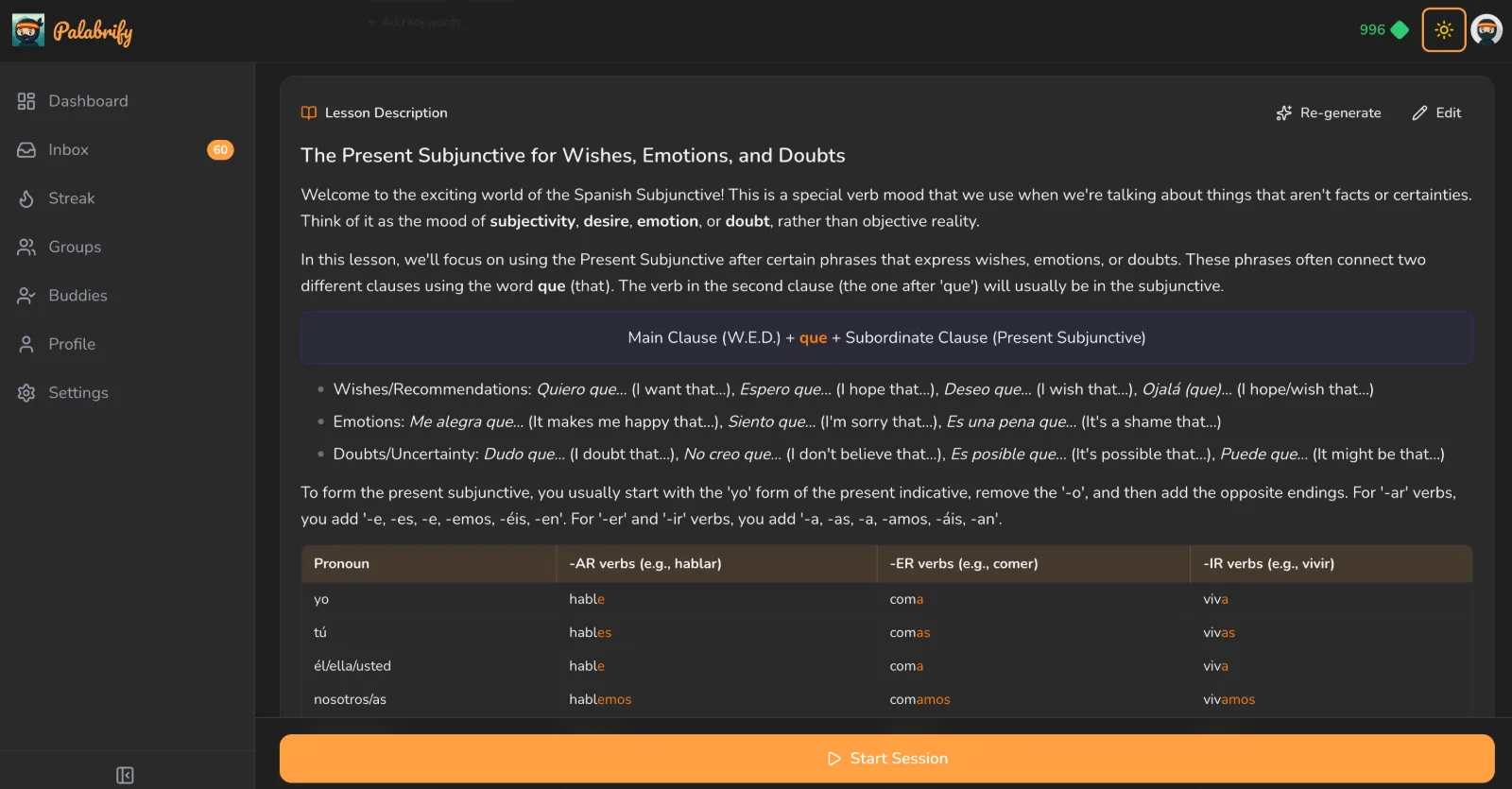
Every course ships with a written tutorial students can go back to.
Or bring the word lists you already have
Years of Quizlet sets, an Anki deck, a vocabulary page, or a list pasted out of your lesson notes. Palabrify pulls out the words and their translations for you to check — and from that same list it builds every exercise type automatically. Prefer to type it all yourself? That works too — every word is yours.
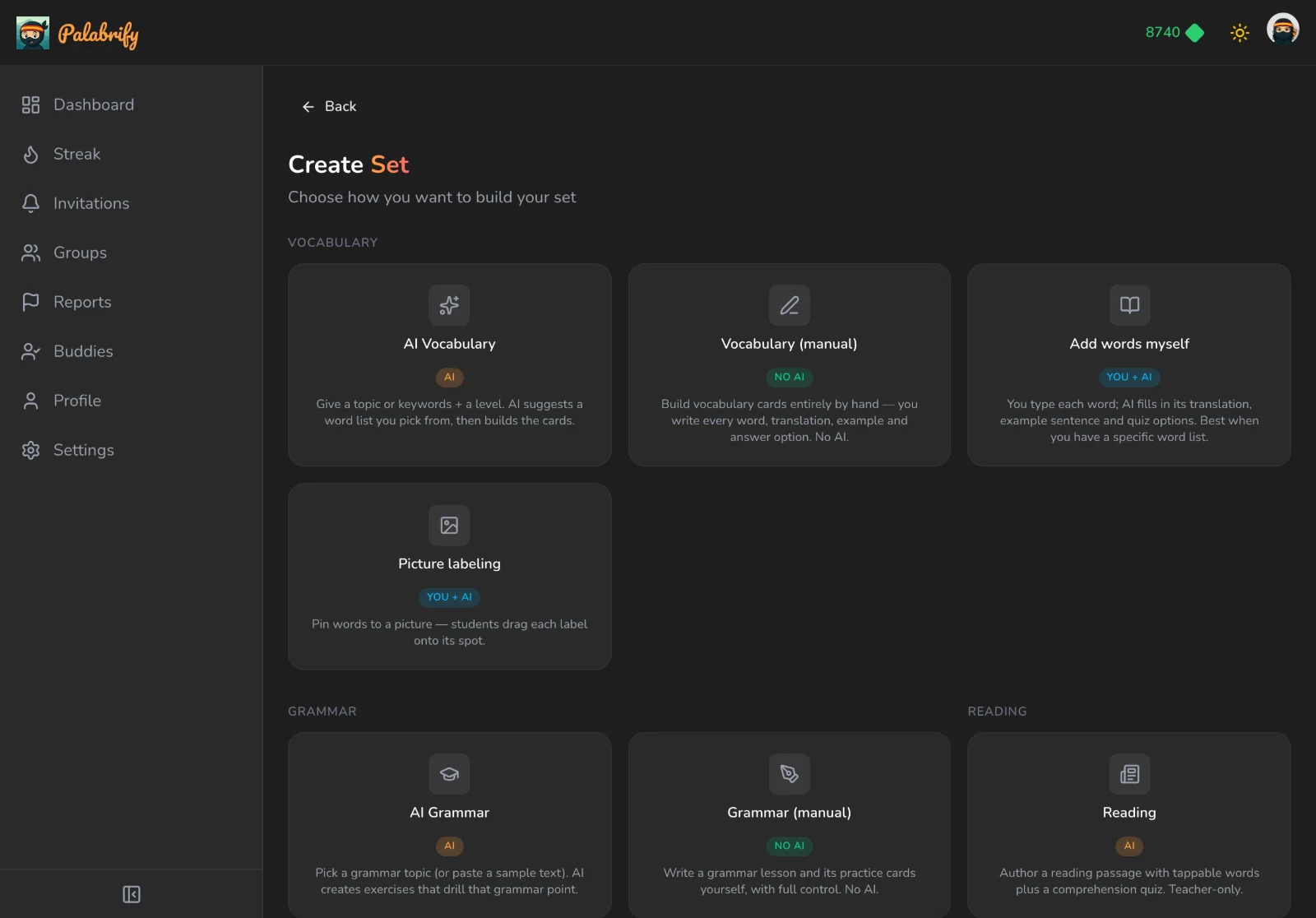
Blank page, a topic to start from, a picture to label, or a reading passage.
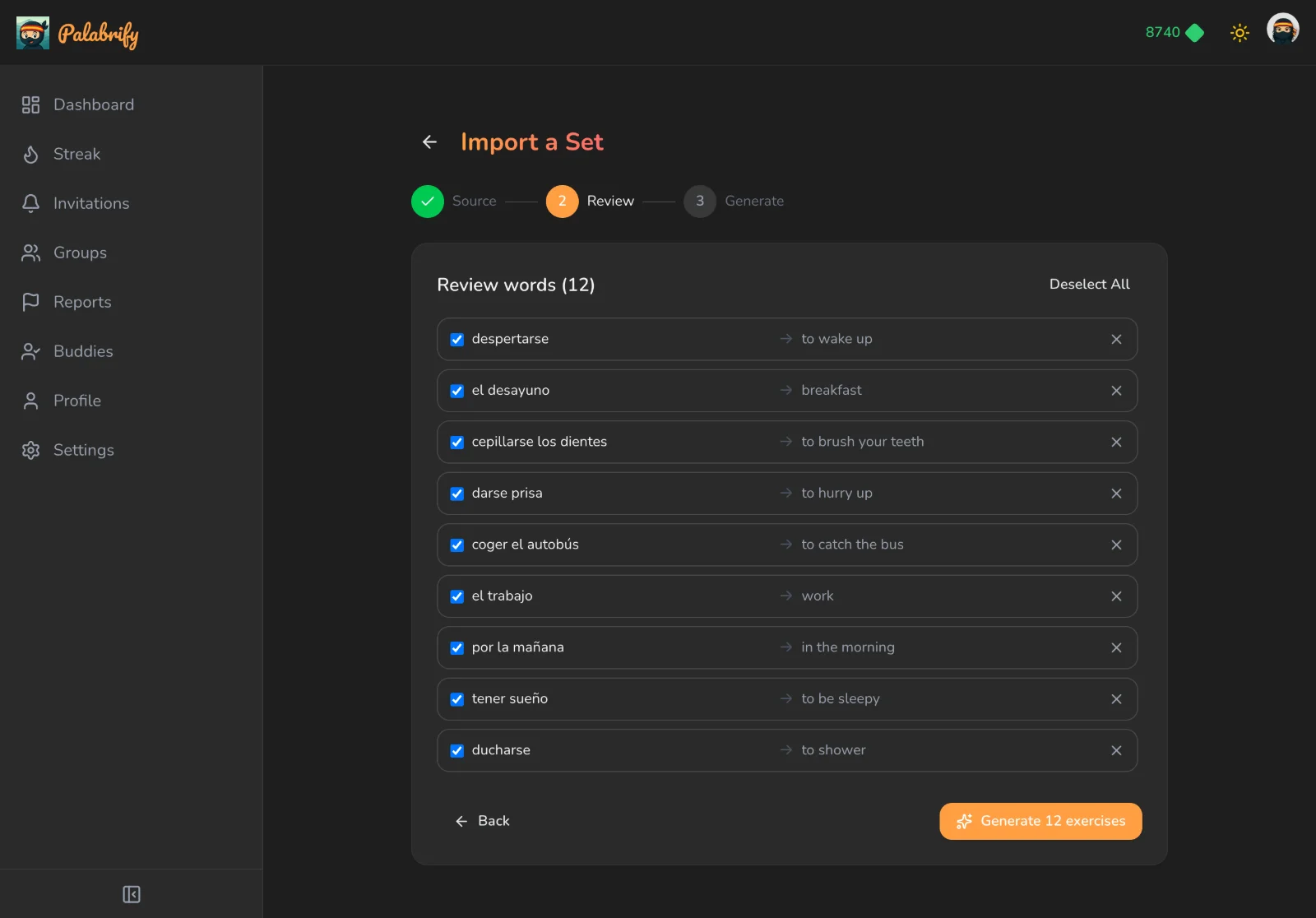
Words in, translations matched, exercises generated. Review before you publish.
Turn that word list into something worth reading — and worth hearing
Have Palabrify write a passage that uses your words, so students meet them in a sentence instead of on a card. Too hard for the group in front of you? Re-generate the same text at any CEFR level from A2 to C2 — one click, same story, different difficulty. Key words stay tappable for a meaning, and comprehension questions can be written for you.
Then give it a voice. One more click narrates the passage in a natural voice, and every word lights up as it's spoken — so a learner who can read the sentence but has never heard it said out loud finally hears where the stress falls. You generate the audio once; from then on every student in every class can replay it as often as they like, for free.
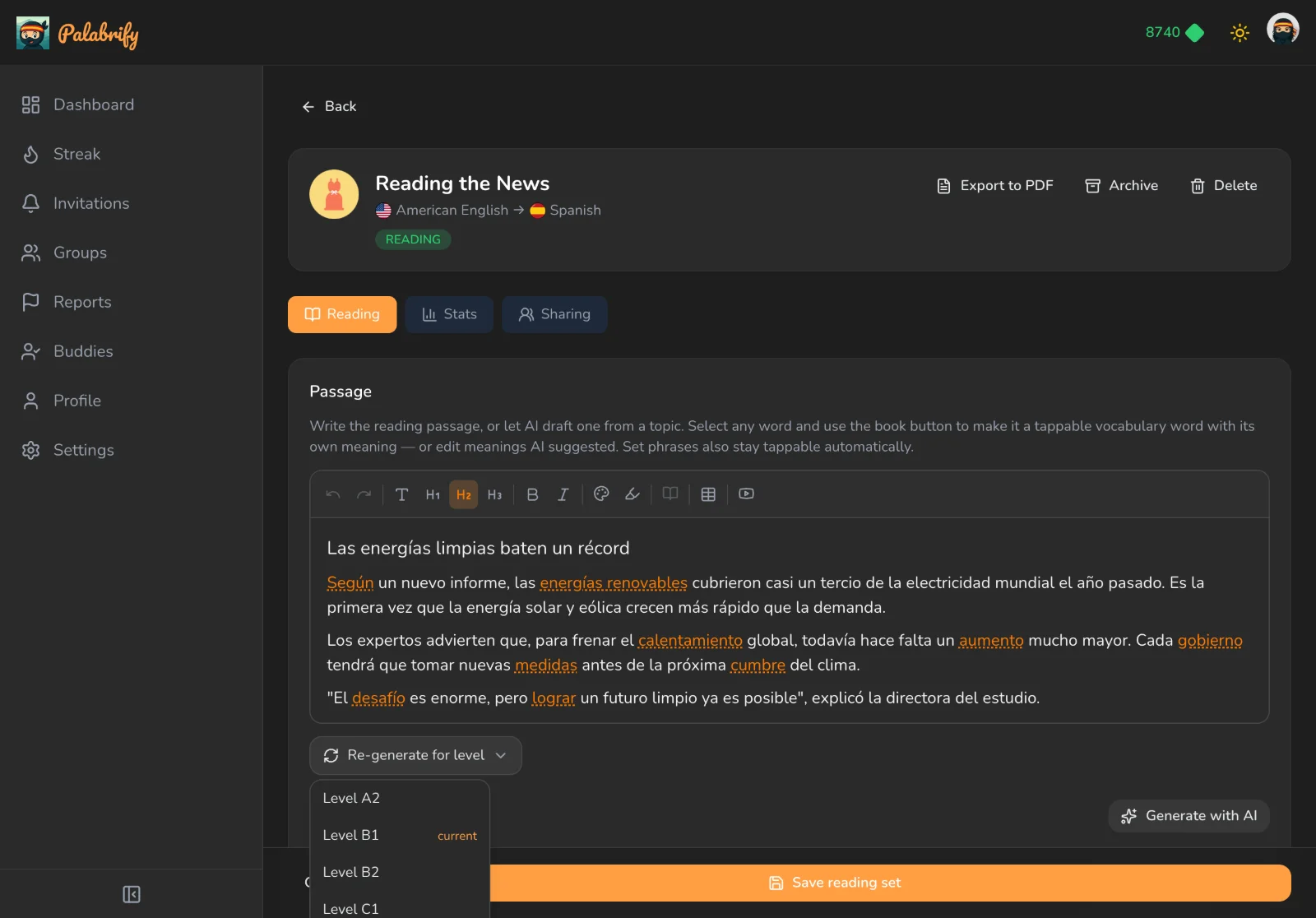
Write it once from your words, mark the tappable vocabulary, then re-level it for A2–C2 without starting over.
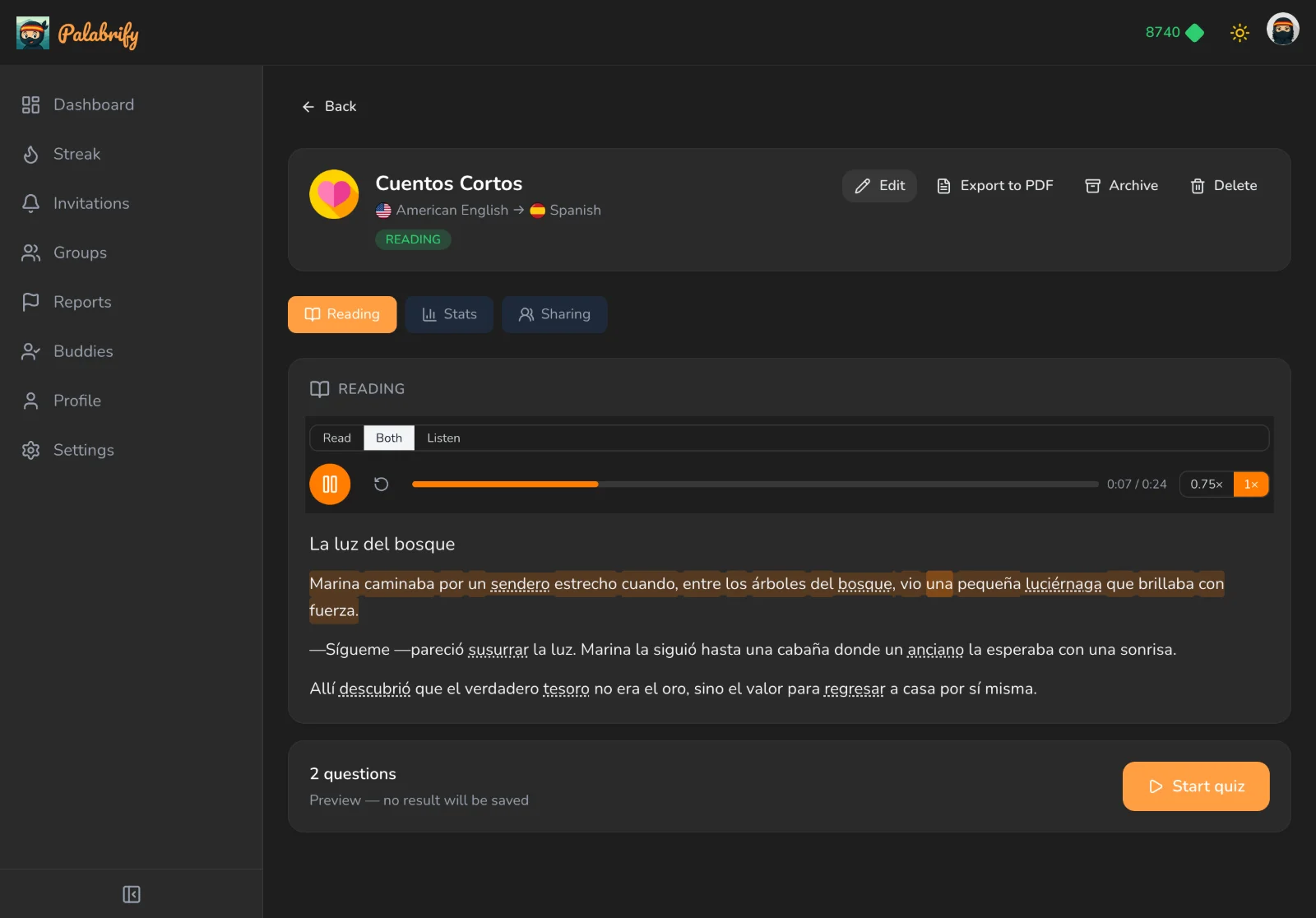
Preview the narration yourself before you publish it — the sentence is banded, the spoken word is lit, and both stay in step with the voice.
They pick how they want to take it in
The same passage, three ways — and it's the learner's call, not a setting you have to make for them.
Read — the text alone, quiet, with every key word tappable.
Listen — eyes off the screen, just the voice and the ninja mouthing along.
Both — the voice reading while the words light up underneath it.
Too fast? Drop to 0.75×. Heard it twice already? Push to 1.5×, or tap restart.
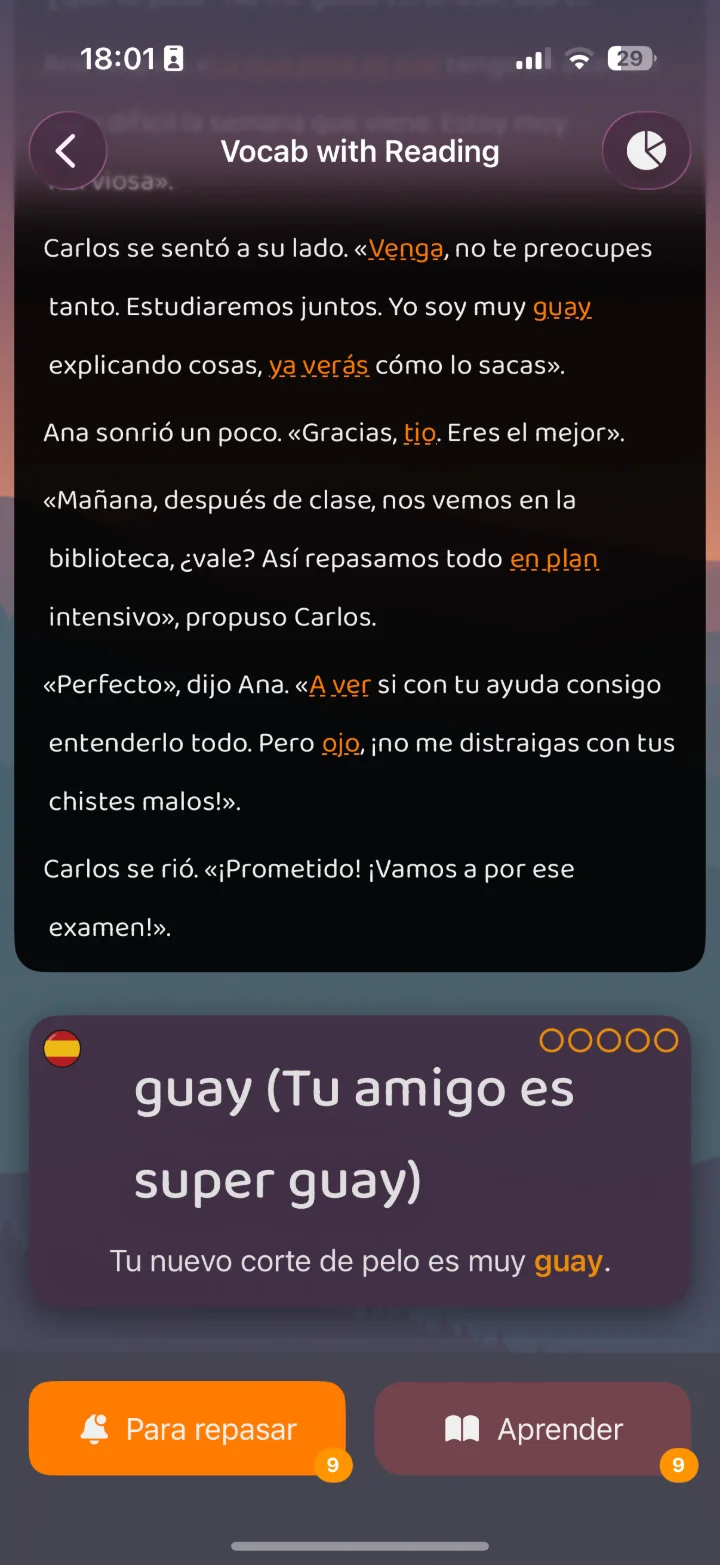
Tap any word for its meaning
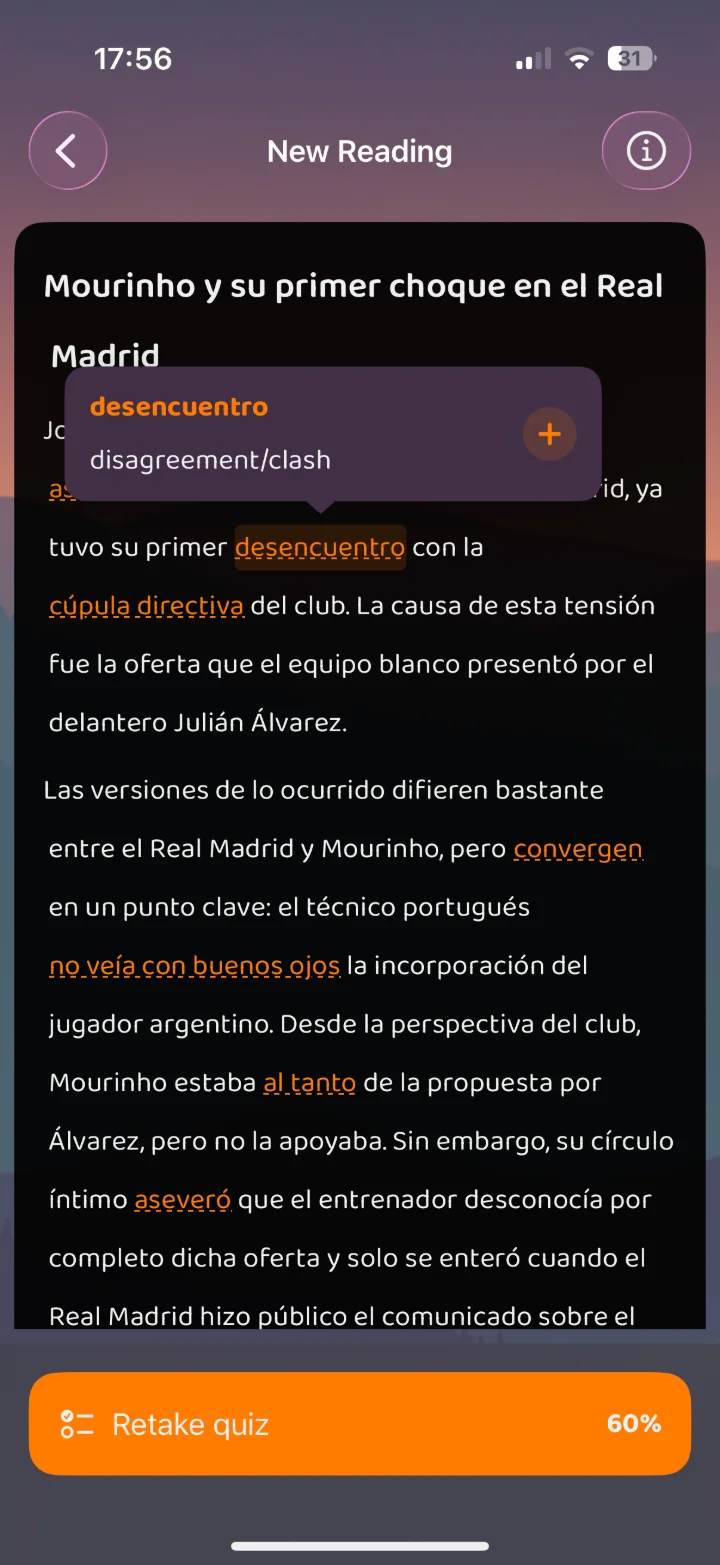
Questions written from the text
Pin your words to a picture
The one students replay for fun. Type your words — or pick from a suggested list for your topic — and Palabrify draws a single illustration that contains all of them, then places a dot on each. Nudge any dot that landed badly, publish, and your class is dragging word chips onto a living room. Or upload your own photo and label that instead.
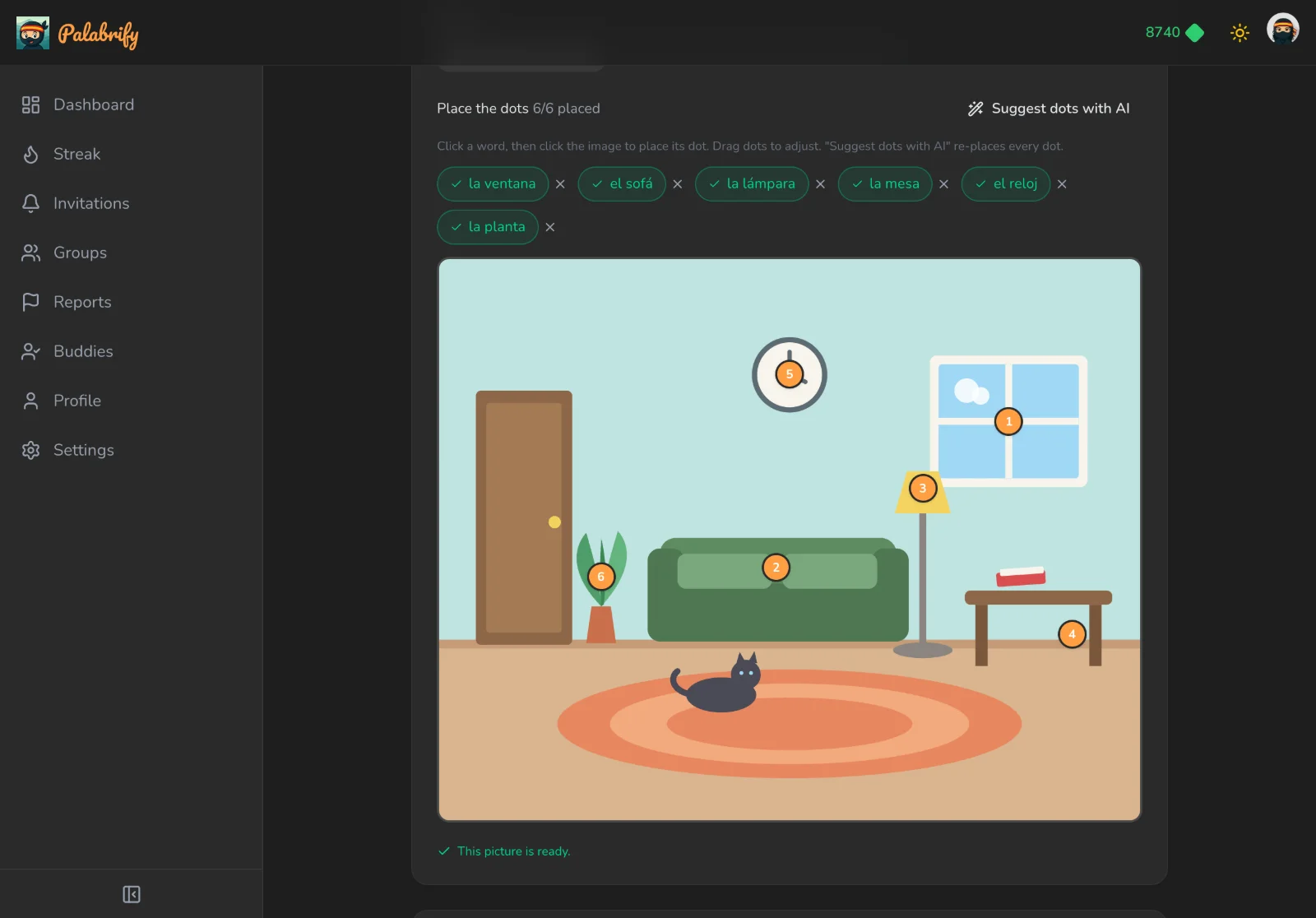
Palabrify draws the scene and guesses every dot. Drag to correct, then publish.
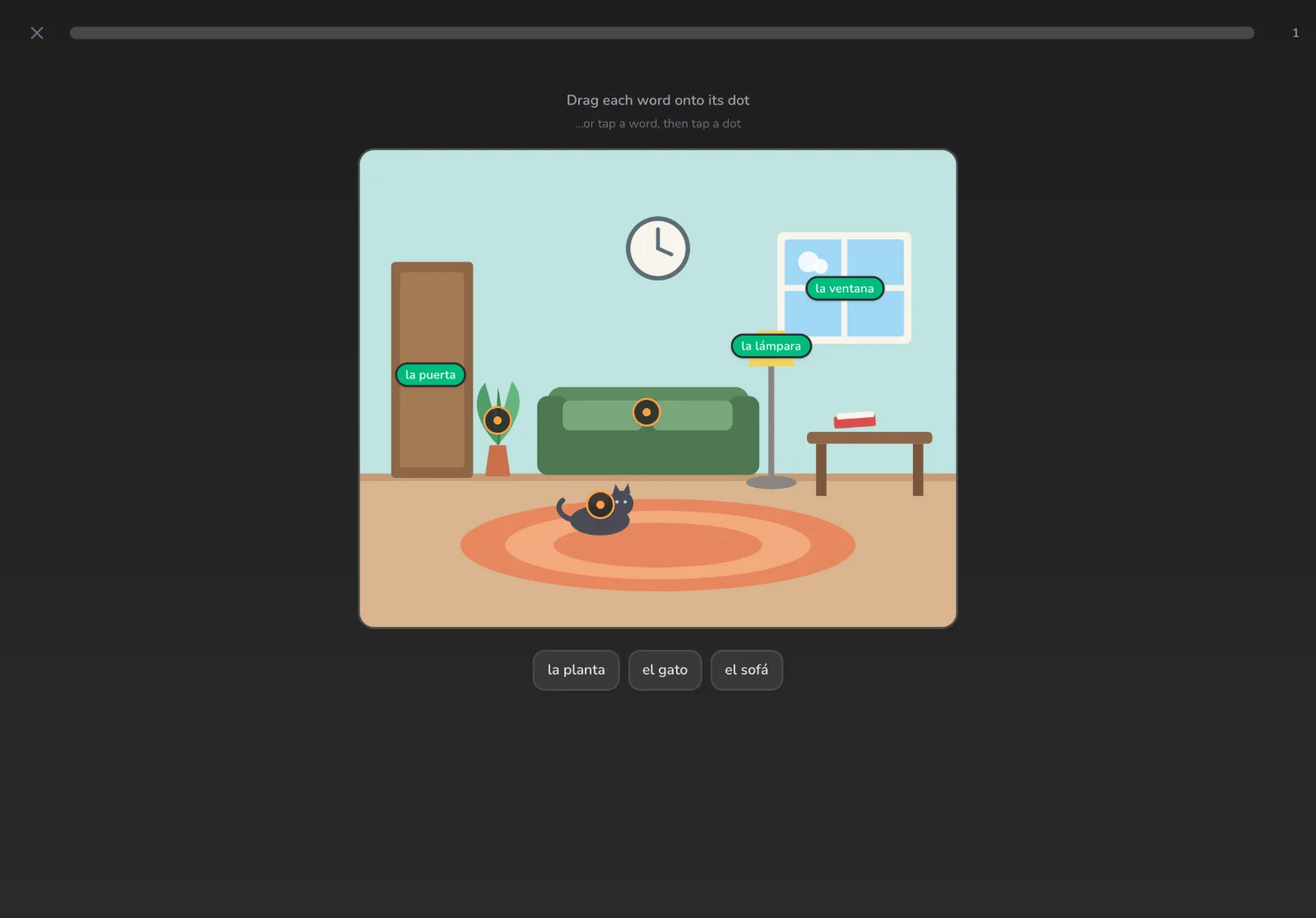
The dot turns green the moment it lands. Wrong drops bounce back, no penalty.
Conjugation tables that fill themselves in
Choose Verb conjugation when you create a set and pick a tense from the built-in list. Then add the verbs you teach — by class and level, only the ones irregular in that tense, or by pasting the list you already use. Every table comes back filled in, irregular forms included, and every cell stays yours to correct.
Your students get the whole sequence in one set. They read the rule next to a table they tap to reveal, practise the singular and the plural on two short boards, then type the right form into a sentence. Available for Spanish first; students practise the tables in the apps from version 2.5.0.
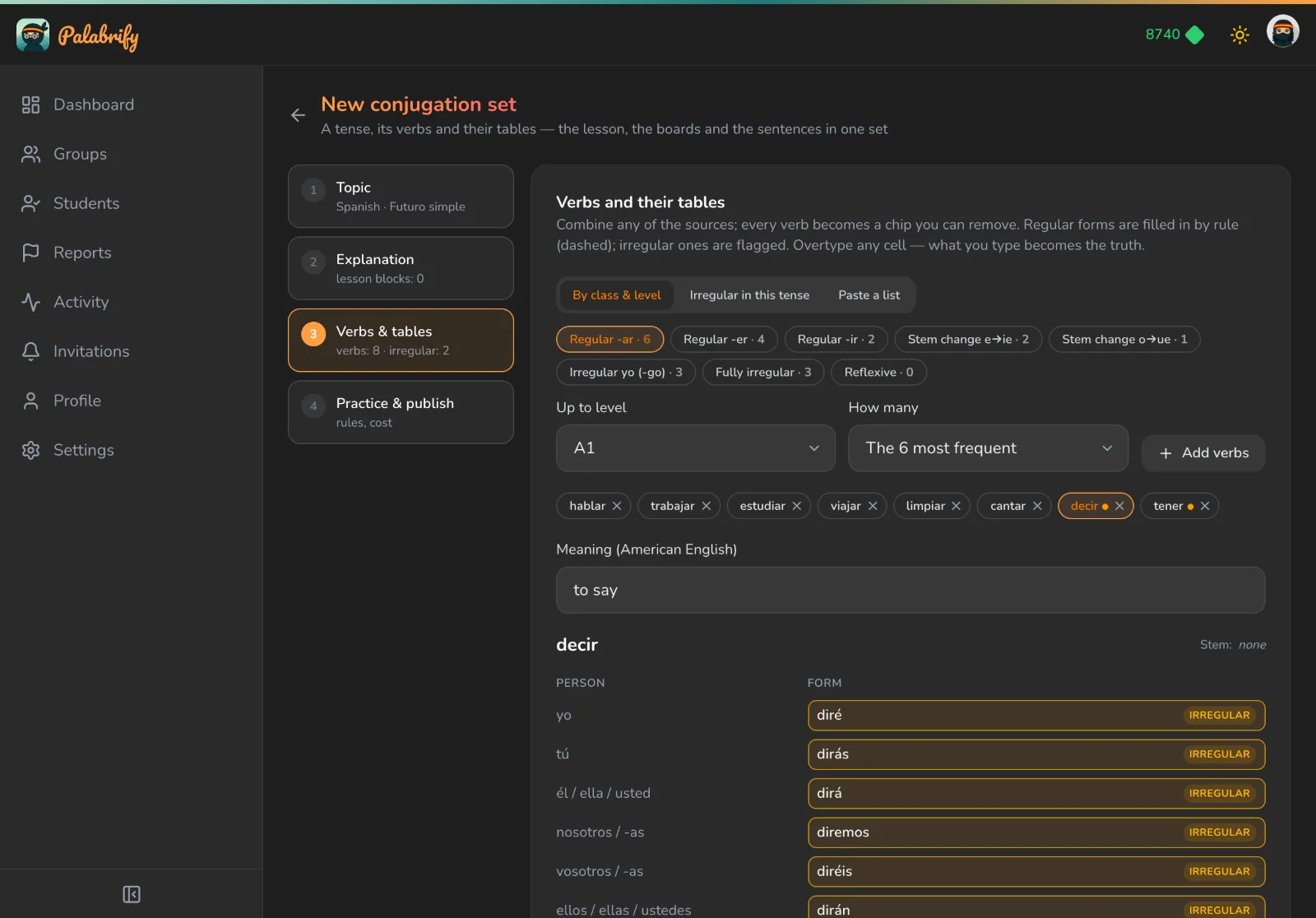
Regular -ar verbs in one click, or paste your own list. Irregular forms are flagged, and you can overtype any cell.
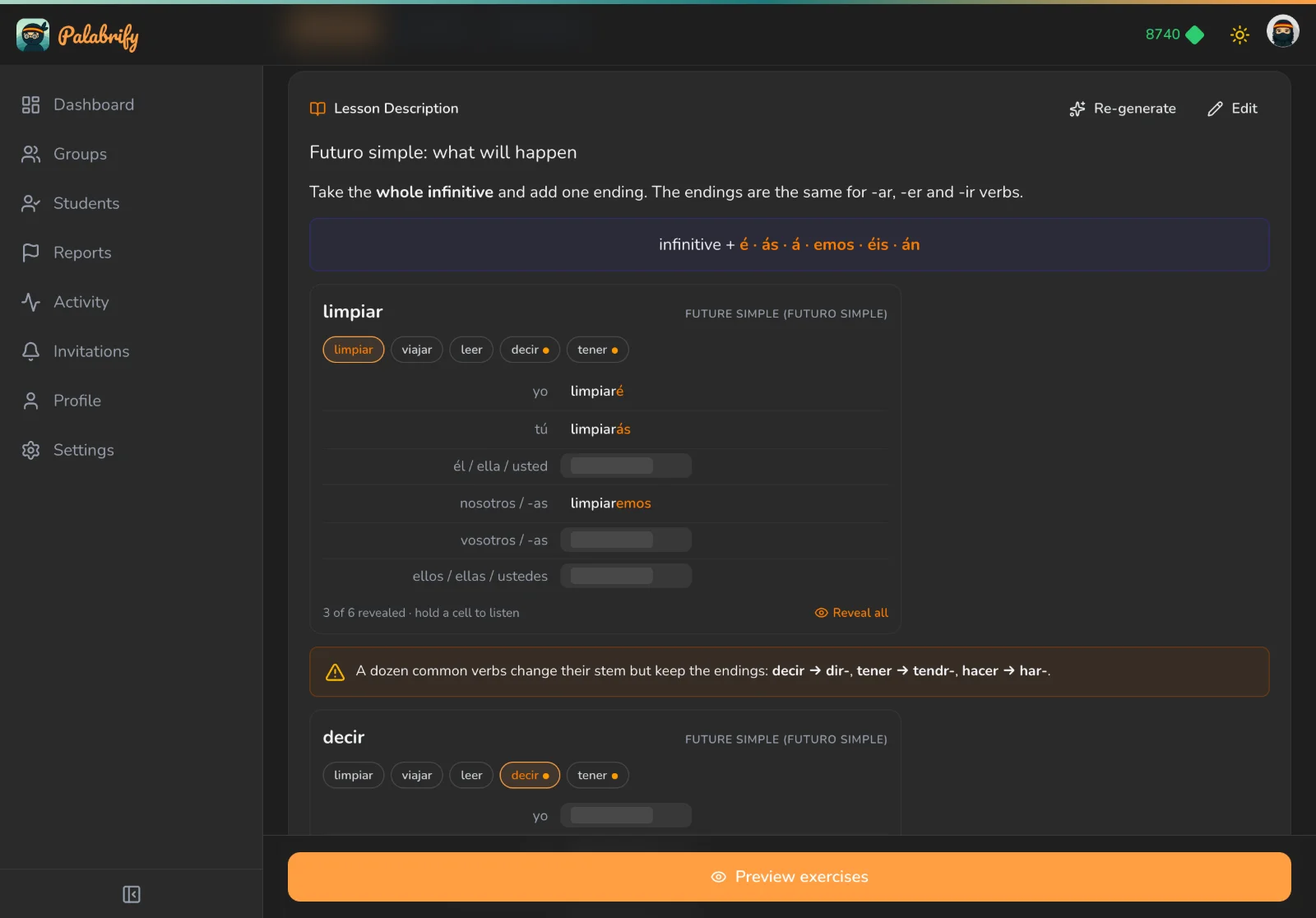
The table in the lesson starts covered. Students tap a cell to test themselves, or press Reveal all.
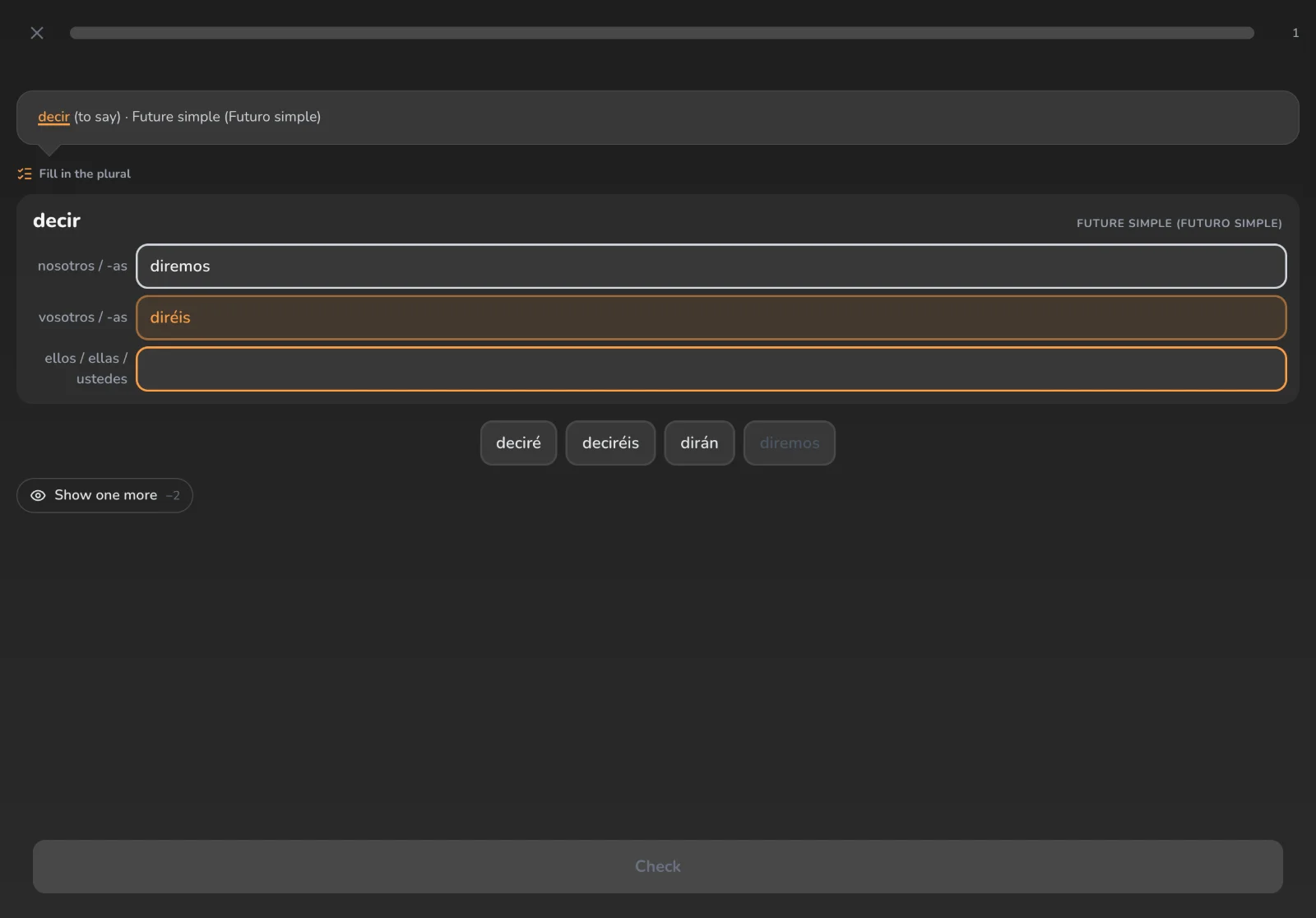
Three persons at a time: the singular on one board, the plural on the next. Regular verbs also get the Ending builder.
Make it unmistakably yours
Your explanation, your face, your logo. Paste a YouTube link into any lesson and it plays inline, right beside the rules and the exercises. Give each course a folder icon and a banner, and your branding is what students see on their own phones — not ours.
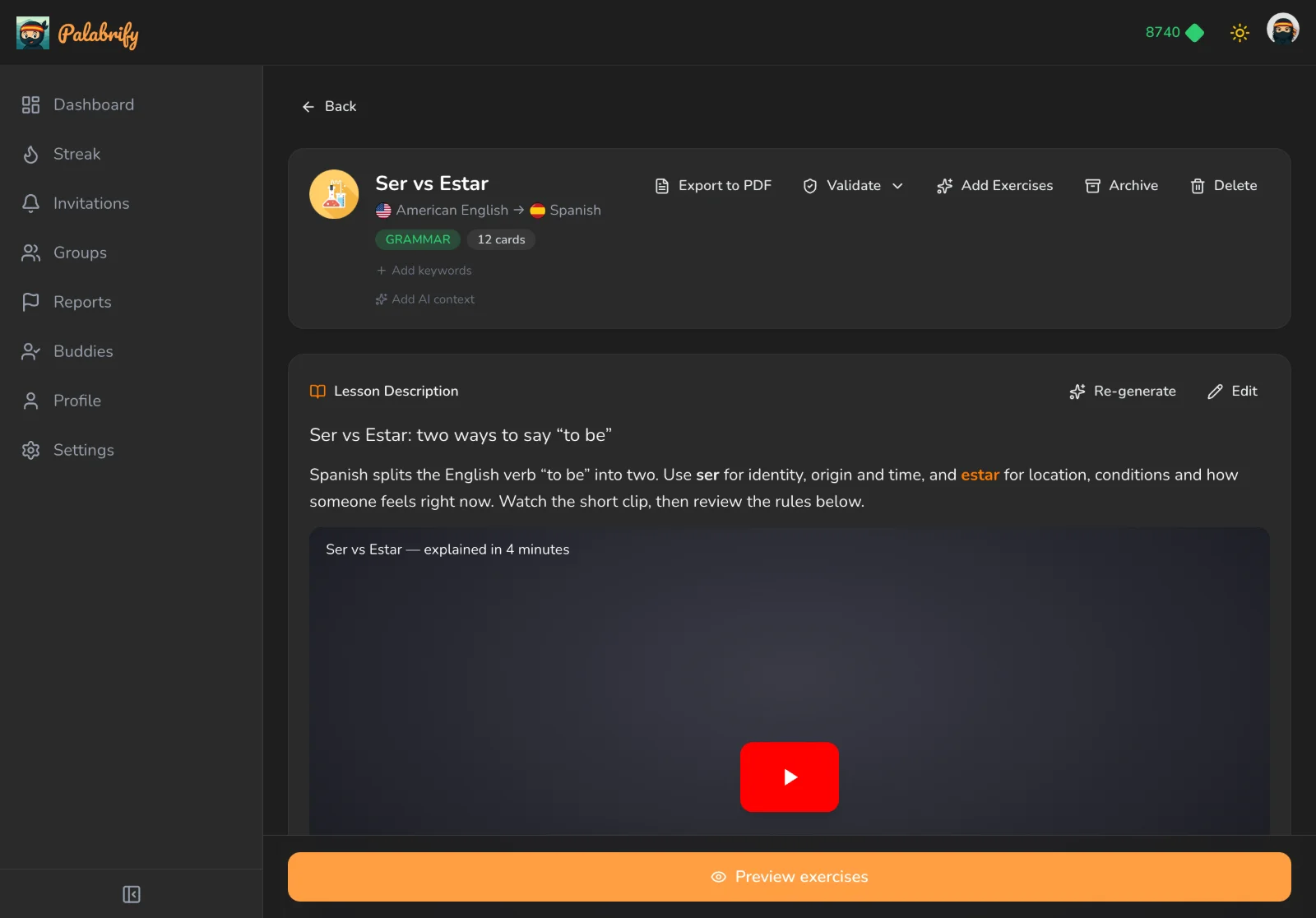
Paste a link and it plays where the rules are — no second app, no second tab.
Grammar lessons — pair a tutorial clip with the formulas and examples.
Vocabulary sets — add pronunciation or a bit of culture.
Reading passages — set the scene before they start reading.
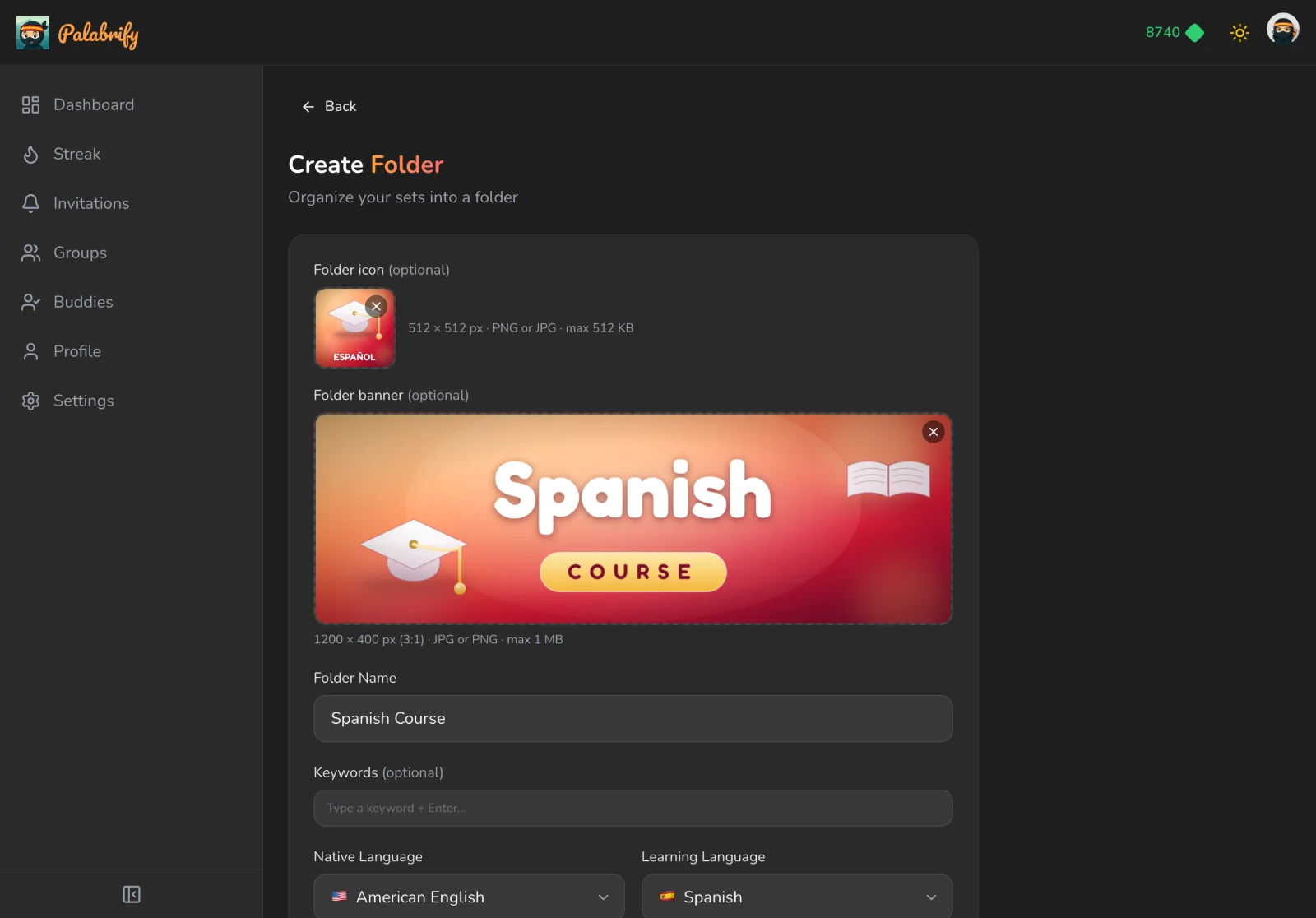
Drop in your artwork as you create the course — Palabrify checks the size and format for you.
A 512×512 icon replaces the default glyph on every folder tile.
A 1200×400 banner headlines the course above its sets.
It syncs to iOS and Android, and stays there offline.
One Tap and Everyone Has It
Make a class for each course or cohort, give students its class code, invite them by email or paste a link into the group chat, and share the folder. It appears on their phones in seconds — no attachments, no "the email never arrived".
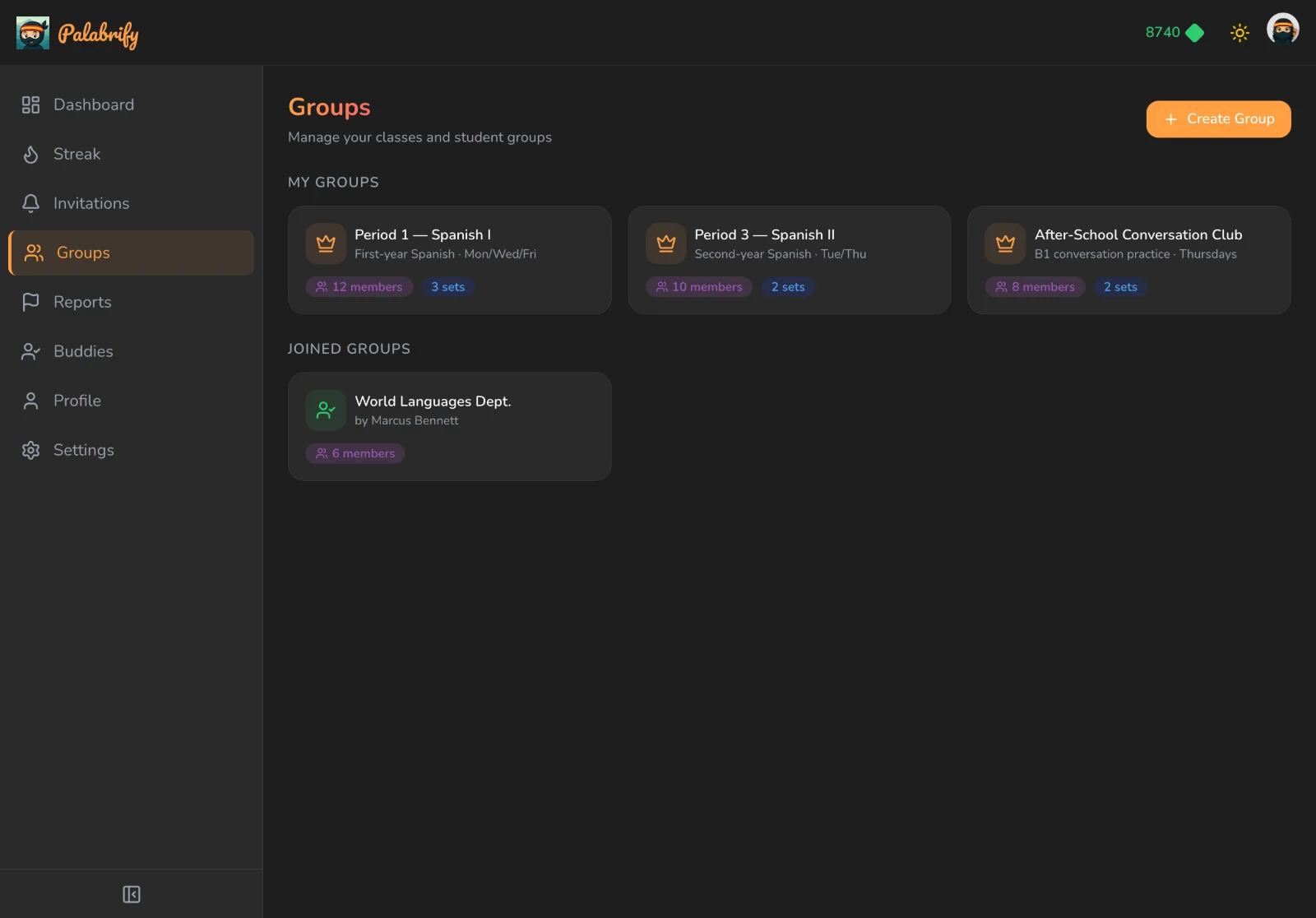
Group by course, level or cohort — the ones you own and the ones you joined, side by side.
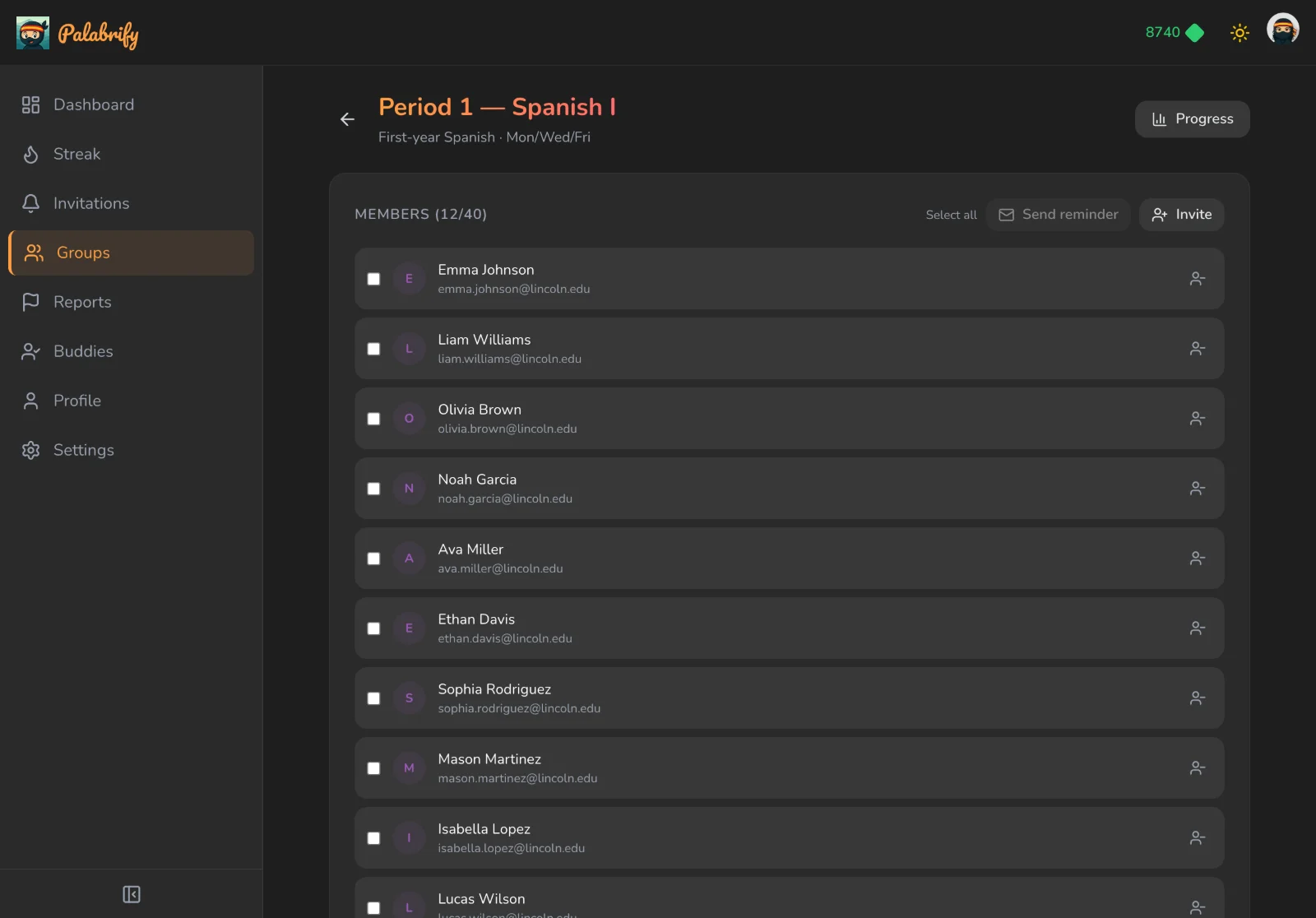
Email or link. New students get everything you've already published.
Share to a class or one student
Send a whole folder to a group, or a single set to the one learner who needs it.
Put it in order
Arrange sets into a learning path so lesson two only opens once lesson one is done.
Swap with colleagues
Add other teachers as buddies and pass content straight between your accounts.
Your Content. Their Favorite App.
This is the part you can't do with a worksheet. Every set you publish becomes a stack of two-minute rounds in the Palabrify app — ten ways to practice the same words, spaced repetition deciding what's due today, and a streak they don't want to break. Same content on iOS and Android, and it works on the train with no signal.
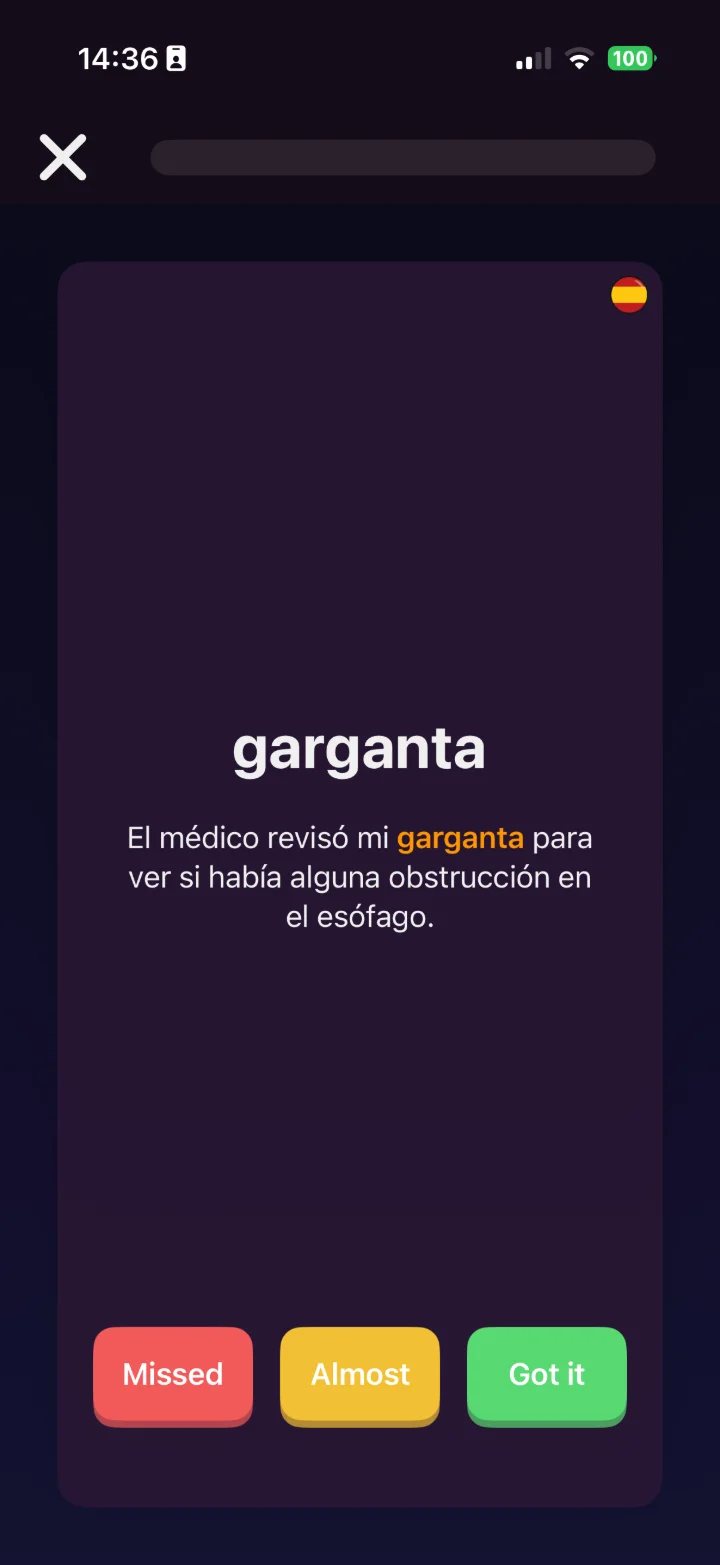
Spaced-repetition recall
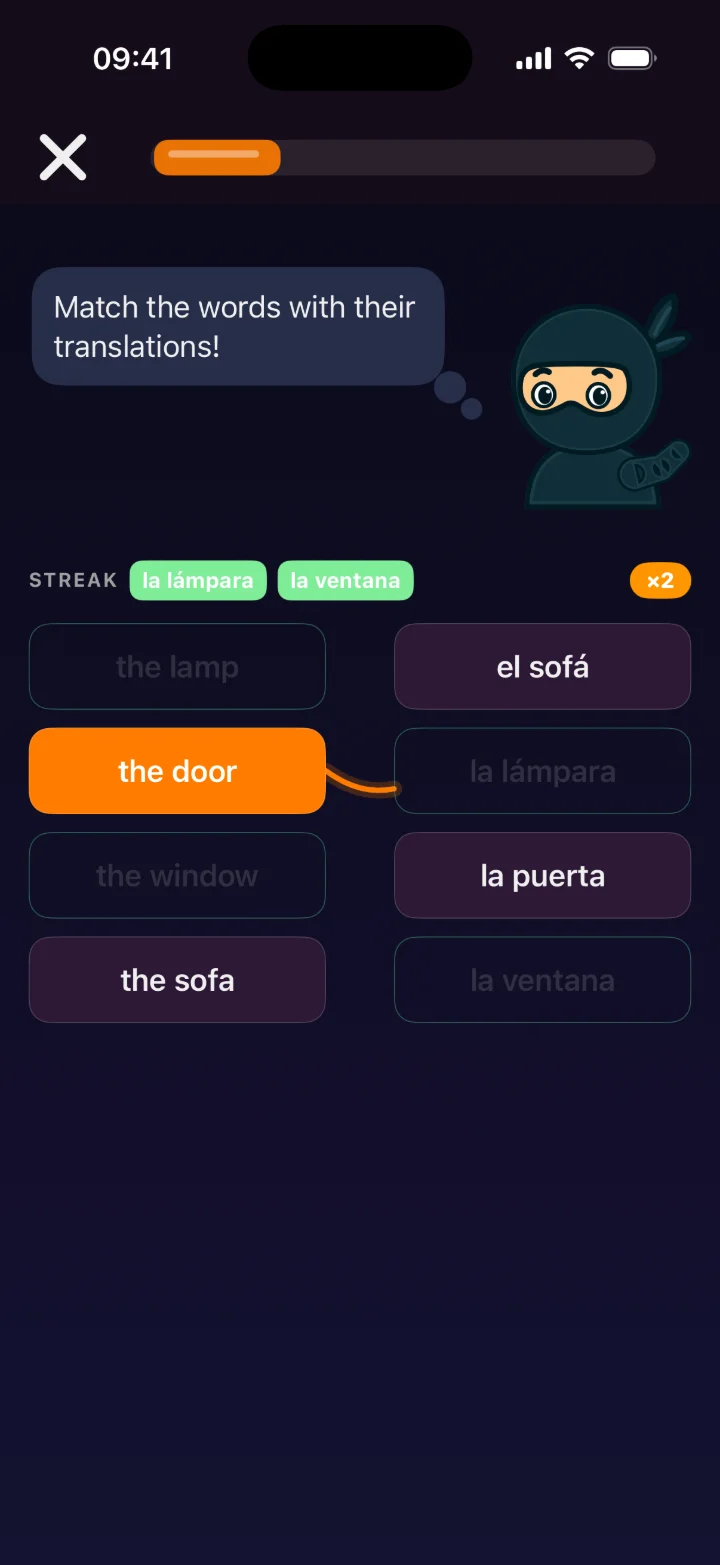
Pair terms & meanings
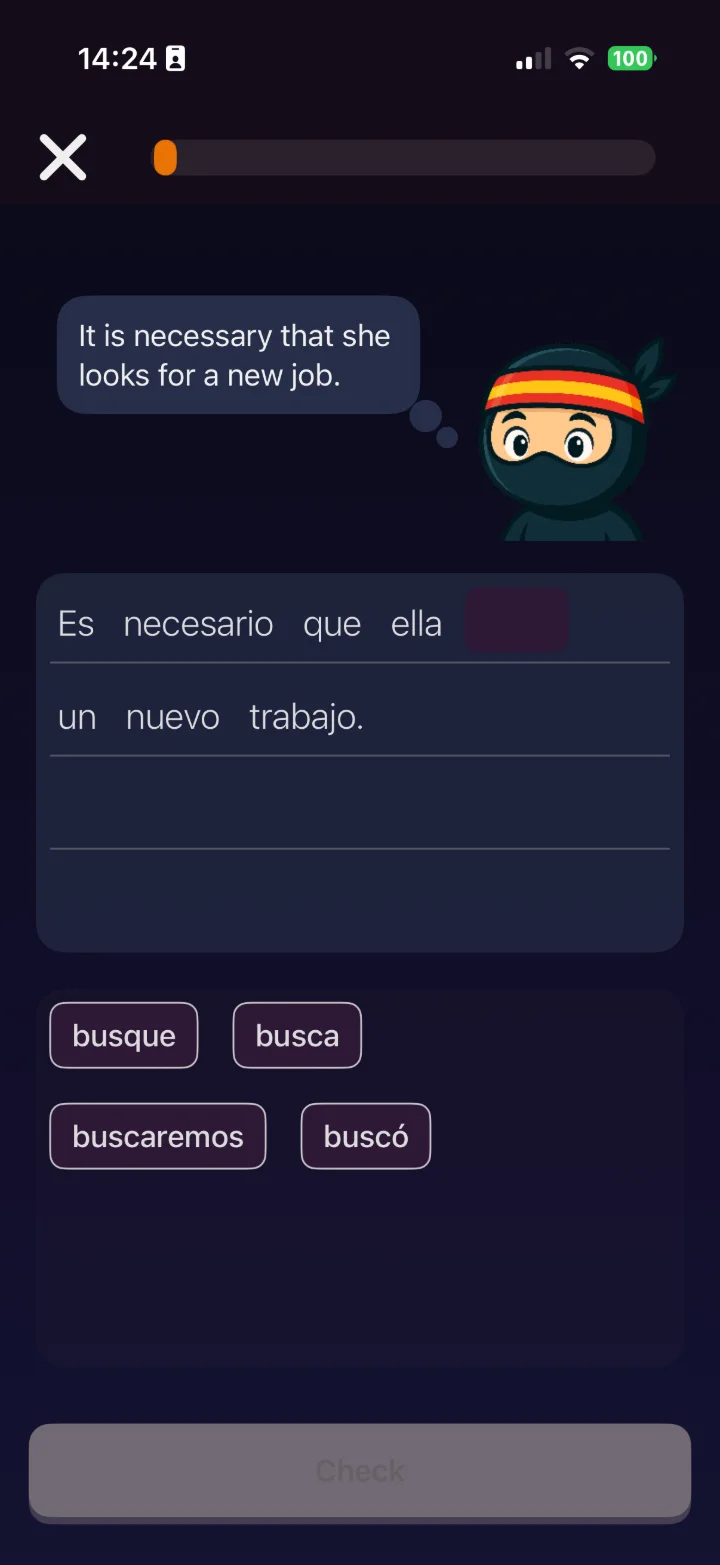
Complete the sentence
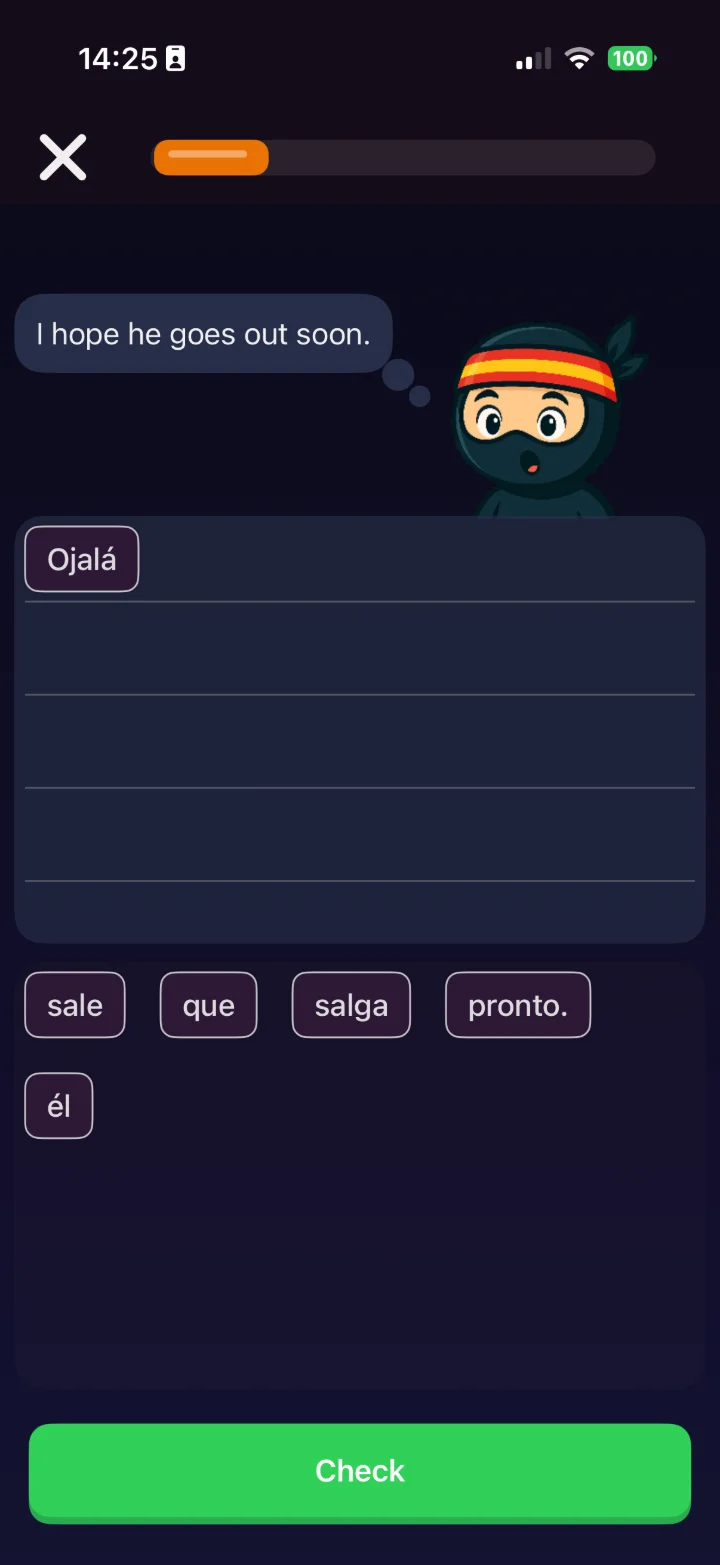
Arrange words in order
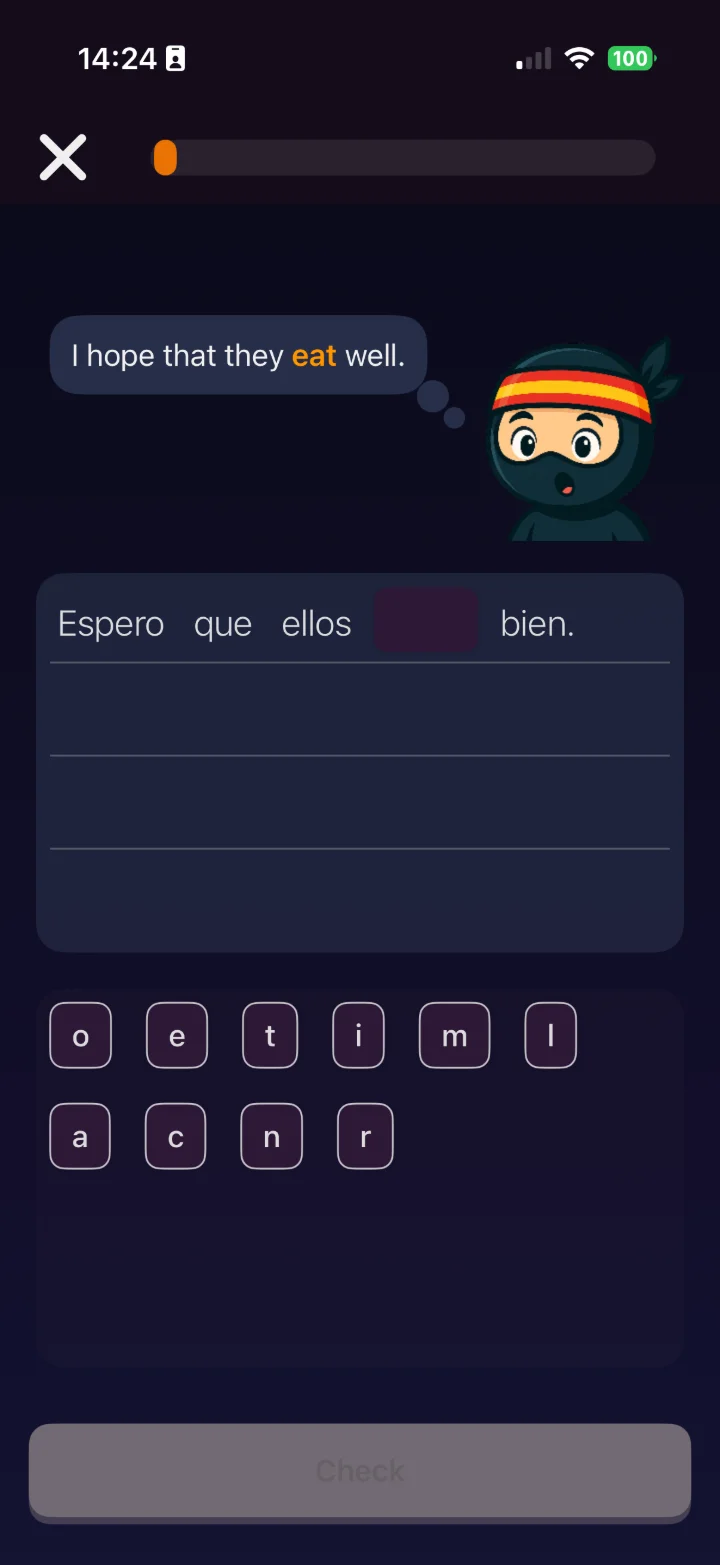
Spell it letter by letter
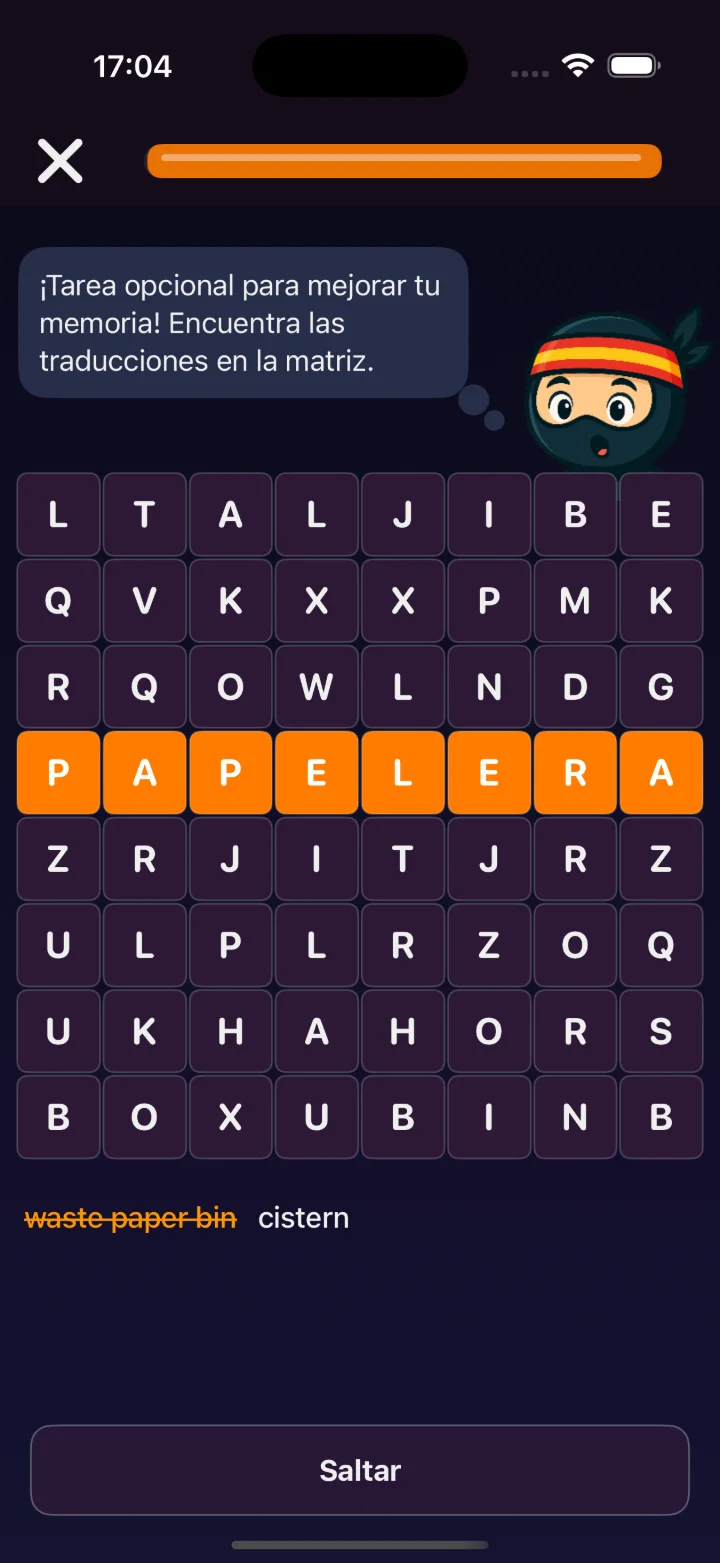
Find & reinforce terms
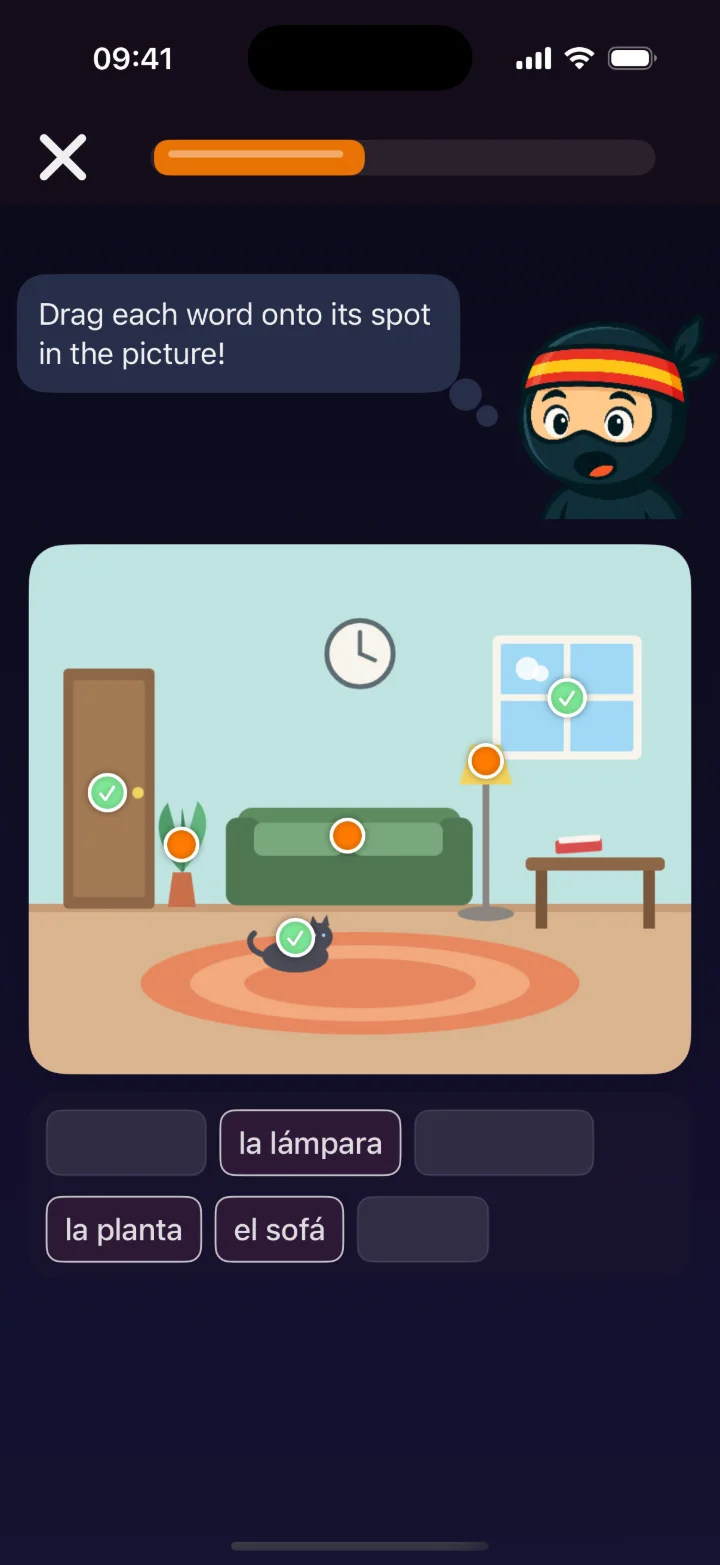
Drag the word onto the thing — see how you build one
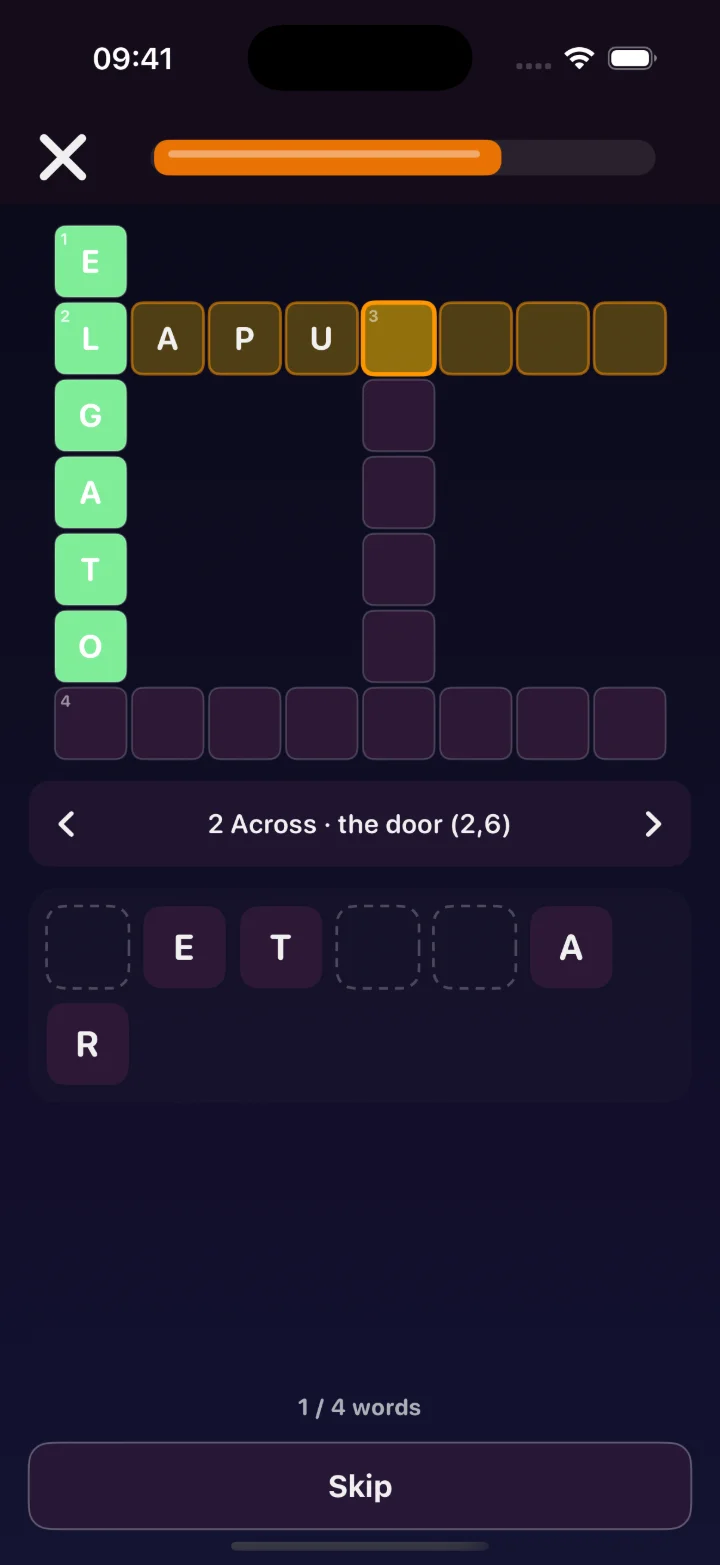
Words that lock together
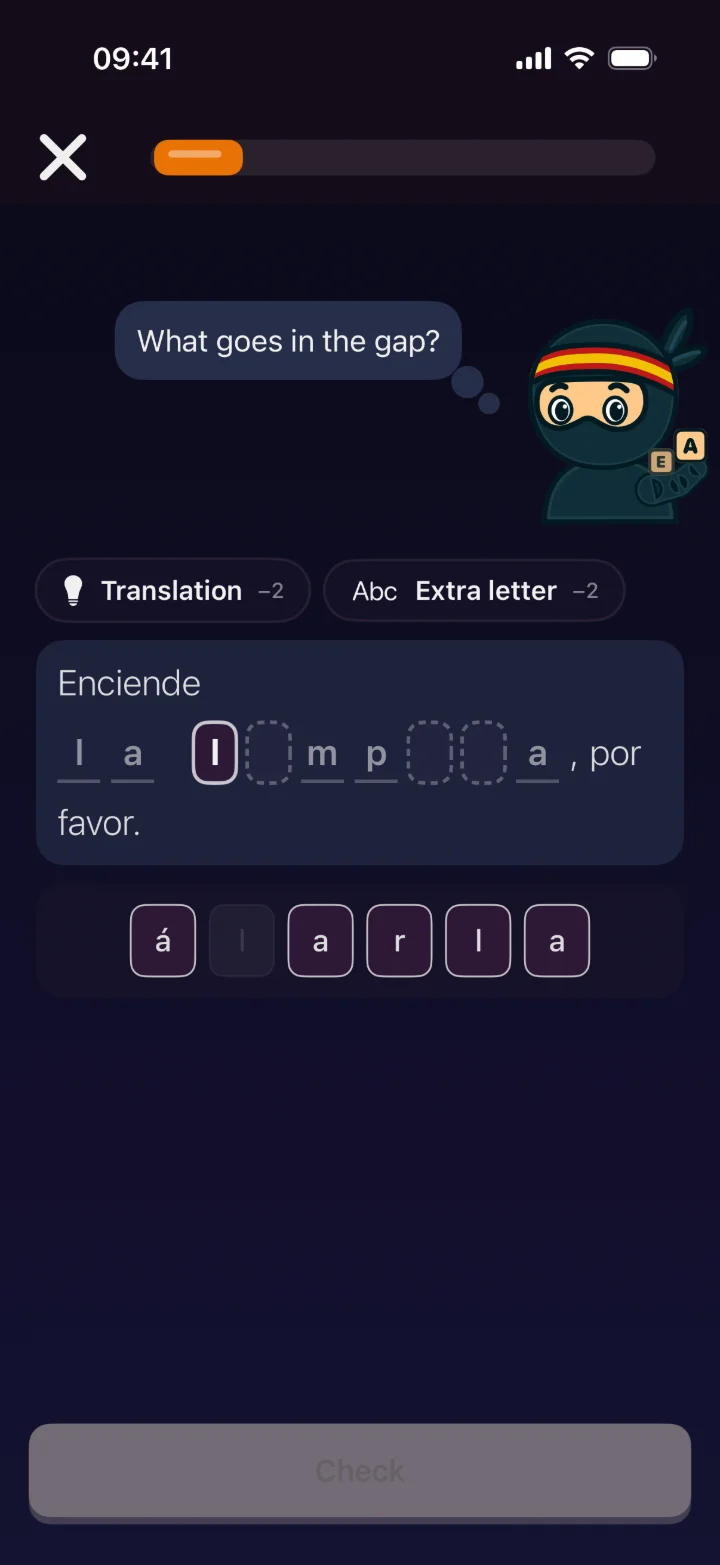
Finish the word inside its sentence
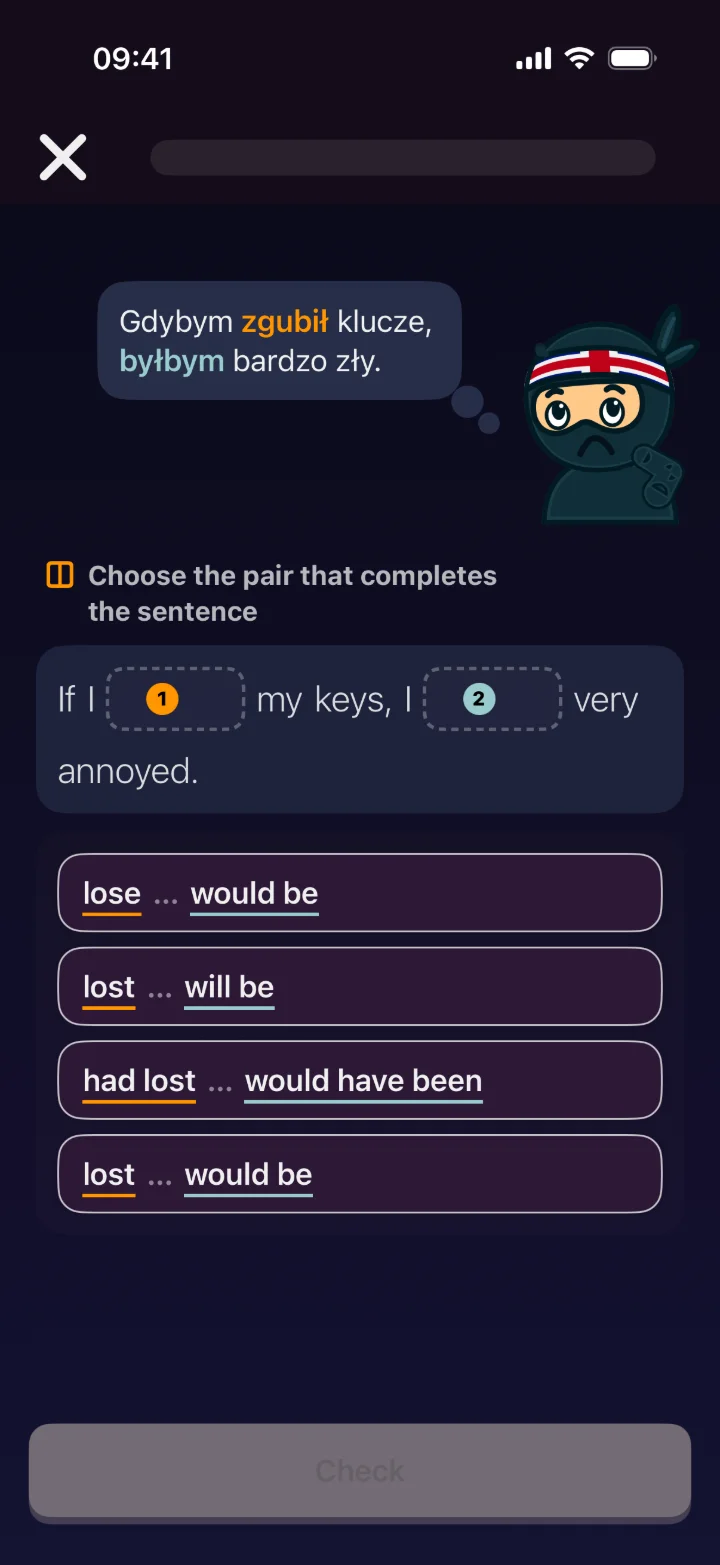
Two forms, one sentence — both have to fit
From app version 2.5.0Plus type-in recall for the words that need spelling from memory — and reading rounds with comprehension questions on top.
Two-Gap Grammar — Both Halves Have to Fit
A one-gap sentence lets a student get half of a conditional right and never look at the other half. Here the sentence has two gaps whose forms depend on each other — "If I lost my keys, I would be very annoyed", "She came home while I was cooking" — and it only counts when both fit together. The task changes as the card comes back: choose the pair, fill both gaps, put each form in its clause, then type both verbs in the right form. Mark a second gap on any sentence in the grammar sets you build; the curated grammar courses, reviewed by people, are getting two-gap sentences too.
"Mark a second gap" on any sentence in a grammar set — a gap that doesn't fit the sentence is flagged before you publish.
Later rounds have students type both verbs into the sentence, base forms shown in brackets — on any grammar set where each gap has its base form.
On paper too: the PDF worksheet gets a "Put the verbs in the right form" section.
Conditionals, tense contrast — one form decides the other.
Pick the pair, fill each gap, or type both forms.
"1 of 2 right" counts as a miss, so the card comes back in the mistakes review.
Find the Struggling Student Before the Test Does
Every tap your students make in the app comes back to you as something you can act on. Completion and mastery for each set, the class average at a glance, and a list that fills itself in the moment someone goes quiet, stalls, or keeps forgetting what they learned last week. You get to step in on Tuesday instead of finding out in the exam.
How far the class has actually got through each course — how much they finished next to how much they've retained.
At-risk and watch-list learners flagged automatically for inactivity, low completion or weak retention — with the reason spelled out, so you know what to say.
Sort by completion, XP or streak, then open one student for a set-by-set view of reviews, mastery and cards due.
One button emails a friendly reminder to a class that's gone quiet — opt-out respected, and rate-limited so it never becomes spam.
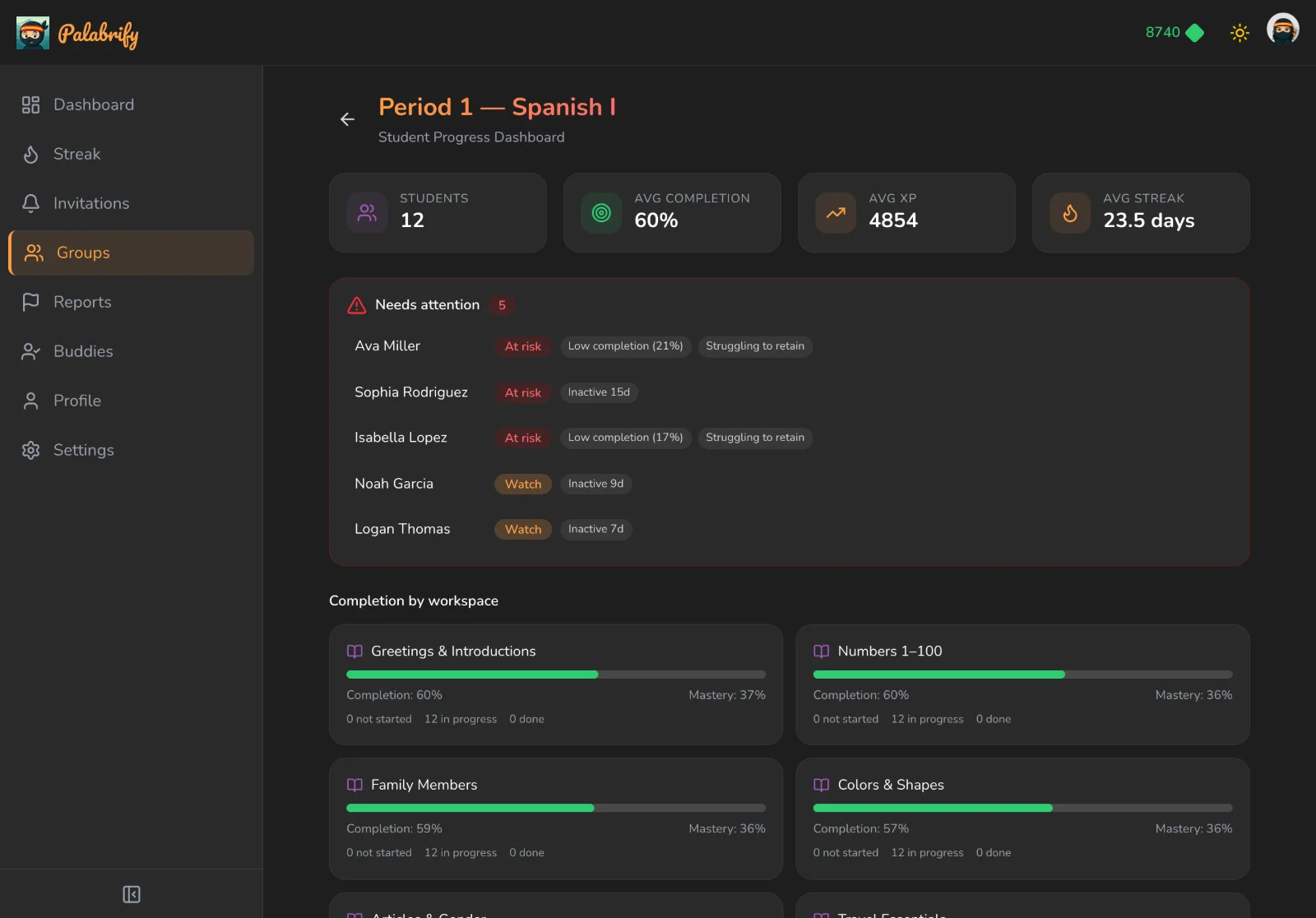
Completion, mastery, and every flagged student tagged with why they were flagged.
And for the Lesson Where Phones Go in the Bag
Some rooms just work better on paper. Export the same set your students practice in the app as a clean, branded worksheet: pick which exercises go in and how many questions each, append the answer key, and download or email a print-ready PDF. No retyping, no copy-paste, no second version of the truth.
Gap-fills, write-ins, reverse translation, word matching, crosswords, word searches and picture labeling — each with its own question count.
Add a teacher key plus a name, date and score line — graded in minutes, with no extra prep.
A tidy layout with your set title — grab the file, or send it straight to the inbox you print from.
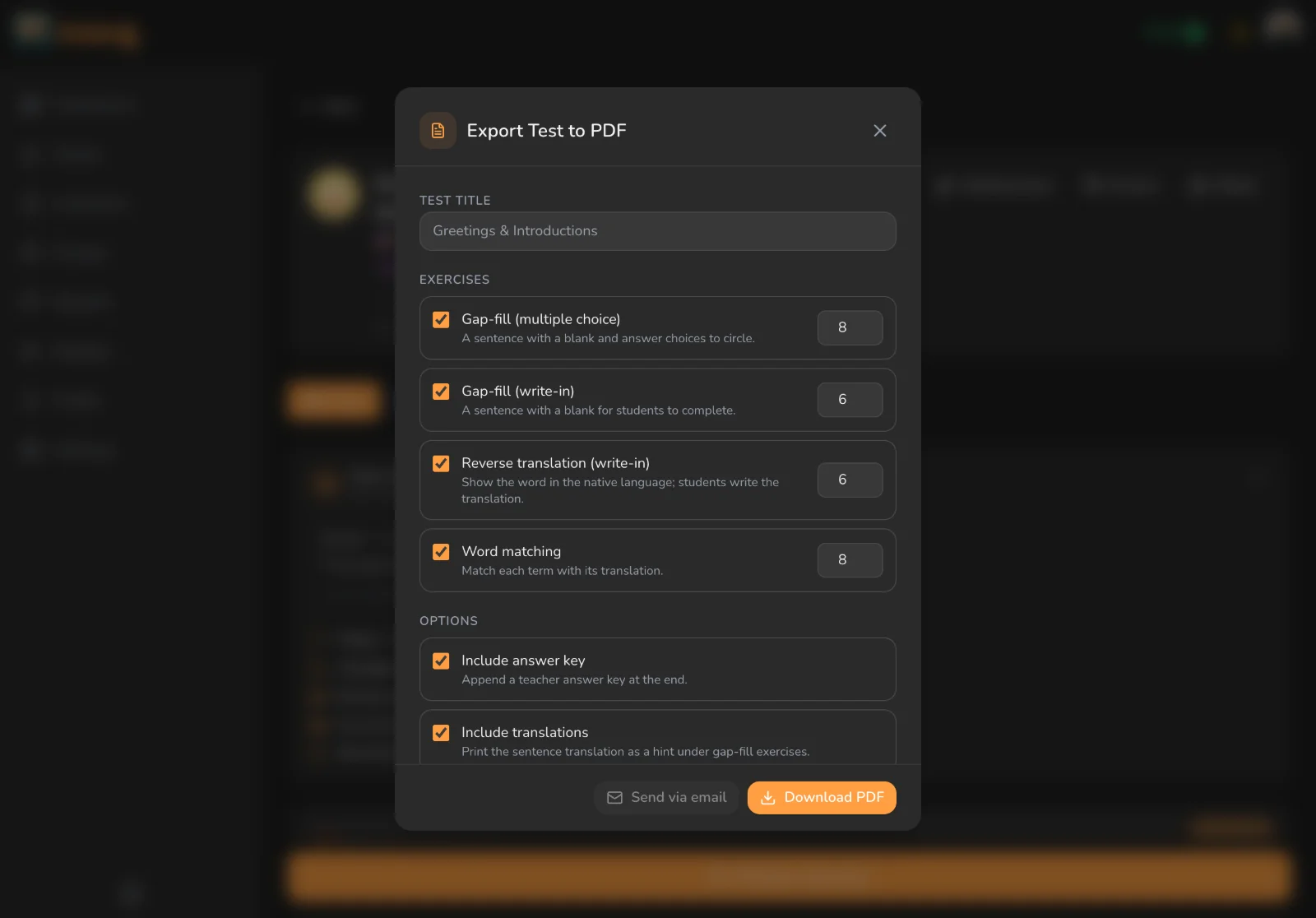
One set, two lives: a game on their phone and a worksheet on their desk.
Bring Your Lessons. We'll Do the App Part.
Create your account and start building today — every new account comes with a free trial of the teacher tools, no card needed.
Create your accountWant to start with a full 30-day trial and more tokens? Write to us at [email protected] and we'll send you an invitation link.
Want to see what your students will see first? The app is free to download and try today.
Your content stays yours · Students learn on iOS & Android · No app-store paperwork for you